One job. From brief to verified build.
Watch one real agency job go end to end.
Client Context. Research. Creative. Human judgment. Then real Google Ads and Meta campaign builds—paused and verified.
Watch the free preview67-second preview · No form required
ELLĀTU / SILKY TOUCH SERUMLaunch workflow
Watch the full workflow
Register and continue to the complete Ellātu demo and see the AI worker go from client brief to human review, Google Ads and Meta execution, verification and completion.
8:53 · English video and captions
Prefer to watch without registering? The recording is public.
It doesn’t stop at a recommendation.
Follow one launch across the systems where agency work actually happens.
- Google AdsSearch campaign build
- MetaCampaign, ad set and creative
- Google DriveApproved brand and product assets
Names and logos belong to their respective owners. Outloop is not affiliated with or endorsed by these platforms.
- 01Brief + Context
- 02Research + plan
- 03Approved files + creative
- 04Human + client approval
- 05Campaign build
- 06PAUSED + verified
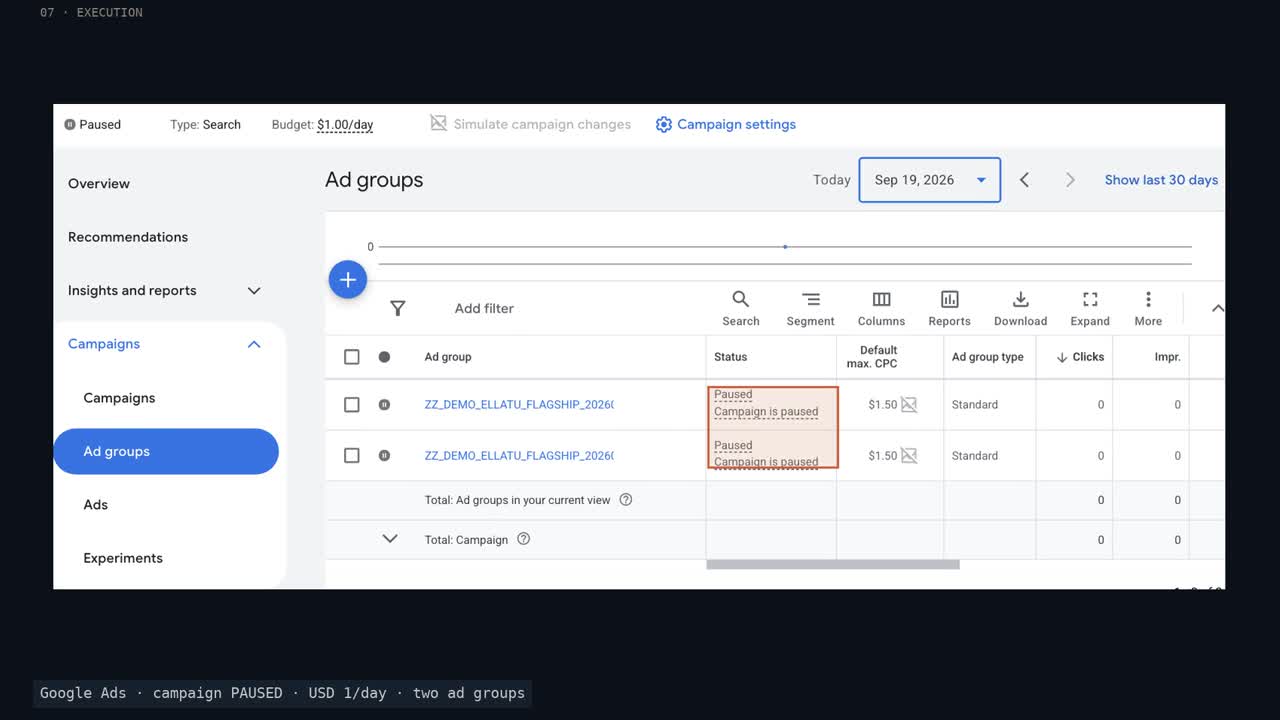
Built inside the ad accounts.
Google: campaign, ad groups, keywords, negatives and RSA. Meta: campaign, ad set and approved creative. Real UI evidence, followed by saved API read-back.
Configured PAUSED. No claim of delivery, platform approval or performance lift.
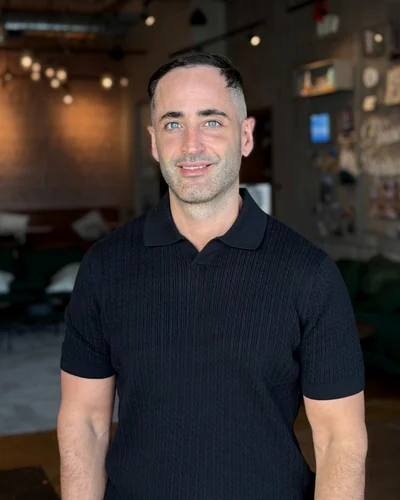
BUILT BY AN AGENCY OPERATOR
I'm Adam Argaman, founder of Outloop and CEO of a digital marketing agency.
After 15+ years across marketing, creative, data and systems — and 7+ years running real client delivery — I started using AI workers across the same environments agencies use every day: Google Ads, Meta, Drive, reporting, creative and project operations.
The hard part isn't getting an AI model to think. It's giving an AI worker the right client context, approved access, working environment and human approval boundaries to actually finish the job.
That is what this demo shows, end to end.
The worker does the work. The human adds judgment.
The Account Manager changed two commercial decisions. Ollie incorporated the corrections; the approved rules remain in client Context.
“No discount-led messaging to past purchasers.”
“No forecast figures in client communication.”
Real approved decisions. The film’s review emails are labeled staged reconstructions.
Meet the worker. And its workplace.
Ollie is the AI worker plugin. Outloop is the controlled workplace it operates through: saved Context, approved access, connected systems and approval rules.
How Ollie worksThe workplace stays.
For teams doing real work across clients.
AI-native agencies, performance teams, GTM engineers, automation agencies and technical service companies. If your work spans client environments and needs AI execution—not just suggestions—this is for you.
Before you watch
Is the demo free?
Yes. The preview and full 8:53 recording are public. You can also register with your work email and continue directly to the full demonstration.
Is this live or recorded?
A recorded 8:53 demonstration in English, with English captions. There is no scheduled live session.
Is the work really created in Google Ads and Meta?
Yes. Real campaign objects were created in approved demo accounts and verified with UI evidence and saved API read-backs. Google Search includes ad groups, keywords, negatives and an RSA. Meta includes a campaign, ad set and ad.
Are the campaigns activated?
No. Delivery objects are configured PAUSED. Meta processing status is not platform approval. This demonstrates execution and control, not spend, delivery or performance improvement.
What is staged, and what is real?
The brief and budgets are demo assumptions. Internal-review emails reconstruct real approved decisions and are labeled. Client approval is shown as a chat transcription. The workspace, approved files, campaign objects and verification are real.
What are Ollie and Outloop?
Ollie is the AI worker plugin. Outloop is the controlled workplace: saved Context, approved access, connected systems and approval rules.
Do I need a local AI model?
No. A controlled workplace does not mean a locally running model. When a cloud model is used, relevant task content may be processed by that provider under its terms and configuration.
What happens after registration?
You go straight to a focused watch page with the full video, English captions and chapters you can jump to.
What is an AI Workflow Review?
Bring one real client workflow. We map the systems, access, files, approvals and execution path needed to turn it into an AI-worker workflow.
67-second preview transcript
Read the video transcript
Watch an AI worker take one agency job from the client brief all the way into Google Ads and Meta Ads. It starts with a brief, in the right workspace, with the client's approved Context. The worker is Ollie, running inside an Outloop workspace with the client Context, approved access and approval rules it needs to do the job. Ollie researches the market, plans the campaign structure, and builds the creative from the client's real Drive assets. Then the Account Manager reviews the package, and changes two things. After approval, Ollie doesn't stop at a recommendation. It builds the campaign, pushes it into Google Ads and Meta Ads, keeps everything PAUSED, and reads the build back through the API. That was only part of the workflow.
Download English captionsBring this to your own client work.
Start 14-day trialStart with one workflow.
Bring one real client workflow. We’ll map the systems, access, files, approvals and execution path needed to turn it into an AI-worker workflow.
Set up your first workspaceAI Workflow Review