For multi-client agencies & GTM teams
More client work.
Same team.
Run AI workers across every client’s accounts, files and systems — without mixing clients or rebuilding setup every time.
Workspace infrastructure for real AI workers.
For your company-controlled Mac. Setup guide

Each client gets its own isolated Workspace.
Approved Google Ads and Meta requests run. Wrong-account requests are refused.

What this demo shows
- Approved accountRequest succeeded
- Wrong accountRequest refused
- Unapproved campaignRequest refused
Read the log details
- RESOURCE_ID_NOT_ALLOWED
- Google Ads or Meta account outside this Workspace’s approved resources.
- META_OBJECT_NOT_APPROVED
- Meta campaign, ad set or ad outside the approved account. The action was not sent to Meta.
- Allow · OK
- Approved requests returned results in the same Workspace.
Demo recreation, not a customer performance claim. Example tool logos belong to their owners.
Reuse the method. Keep each client separate.
Reuse reviewed workflows. Configure each client’s Context and validate their accounts and resources separately.
Explore repeatable implementation →
Concept illustration, not measured gains. Example tool logos belong to their owners.
-
More delivery capacity
-
Reusable methods
-
Less repeated setup
-
Separate client data
Choose a supported AI runtime
Models change. The Workspace stays.
Keep client Context, Skills, approved access and work history as you switch supported AI runtimes.
Runtime support and limits
In Stable 1.45.0, Routines keep instructions, schedule and history when switching between ready Claude Code and Codex runtimes. Claude Code, Codex and Hermes differ in setup and feature support. Full conversation, running-task and cross-machine migration are not promised. Private lessons do not automatically move between clients.
Open/local options depend on support. Outloop does not route models automatically or guarantee savings. Compare runtime economics →
Read the video transcript
Imagine giving your AI worker a real workplace. A place where it has the right files, instructions, business tools, and approved access to get work done. That's what Outloop is built for. Instead of starting from scratch with every task, your AI worker works inside a dedicated Workspace. It knows which client it's working for, which resources it can use, and where its work belongs. And with Ollie, you can ask for real work, not just suggestions. Analyze campaigns. Prepare reports. Work with client systems. Handle recurring tasks. Your team stays in control. The AI worker handles the execution. More client work. Same team. That's Outloop.
Download English captionsRecorded in Outloop 1.45.2. Campaign figures are synthetic demo data, not live advertising results.

Independent tools. Names and logos belong to their respective owners; Outloop is not affiliated with or endorsed by these projects.
Real work crosses tools.
Your company Mac connects AI work with client APIs, browsers and files—with human review where needed.
Execution and browser details
Local files, installed apps and your network or VPN are available where configured. Support depends on the service, runtime and configuration.
Explore execution and browser modes →- Local ChromeUses the Workspace’s configured profile.
- Managed BrowserShared profile; supported login recovery stays on the task page.
- Human handoffsPause for authentication or review; verify the result.

See a marketing workflow in action.
Watch a client brief become reviewed Google Ads and Meta campaign builds.
Demo inputs; real builds, PAUSED. Review emails are staged reconstructions. No ad delivery or performance claim.
67-second Ellātu preview · Google Ads + Meta · No form required
Read the video transcript
Watch an AI worker take one agency job from the client brief all the way into Google Ads and Meta Ads. It starts with a brief, in the right workspace, with the client's approved Context. The worker is Ollie, running inside an Outloop workspace with the client Context, approved access and approval rules it needs to do the job. Ollie researches the market, plans the campaign structure, and builds the creative from the client's real Drive assets. Then the Account Manager reviews the package, and changes two things. After approval, Ollie doesn't stop at a recommendation. It builds the campaign, pushes it into Google Ads and Meta Ads, keeps everything PAUSED, and reads the build back through the API. That was only part of the workflow.
Download English captionsYour first workspace, in three steps.
- Create a client workspace.
- Add Context and approved tools.
- Give your worker a task.
Next: Ask Ollie to do real work →
0:57 · Adam’s voice · English captions
Recorded in Outloop 1.45.2. “Create a Workspace” is an animated explanation; the creation flow is not shown.
Read the video transcript
Let's set up your first AI worker in Outloop. Everything starts with a Workspace. Think of it as your AI worker's permanent working environment. If you run an agency, you might create one Workspace for each client. Each Workspace has its own folder, context, skills, and approved access. First, create or connect the folder where the work belongs. Next, add the information your AI worker needs to understand the client and the job. Then, connect the business services it needs, and make sure the right access is assigned. Once your AI runtime is ready, you can start giving Ollie real tasks. The important thing is that your Workspace remains in place between tasks. You don't need to explain the same client setup every single time. Your AI worker has a place to work. And you're ready to get started.
Download English captions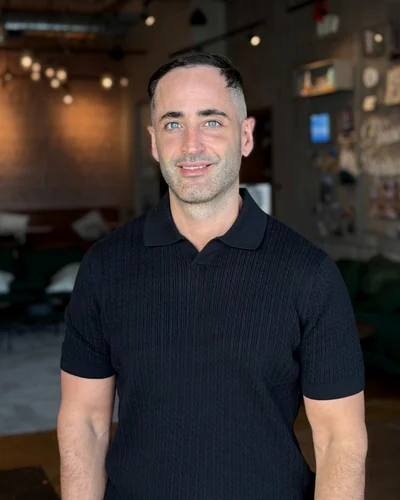
Built by an agency operator
I'm Adam Argaman. I built Outloop for the client work my agency team does.
The right client Context. Approved tools. Human review.
Why we built Outloop →Start with one real client workflow.
Choose one recurring job to try. Follow the first-Workspace guide →
Pro starts at $99/month with 2 Workspaces included. Start your 14-day trial on Outloop Cloud and review the final price at checkout.
Need help? Request an AI Workflow Review.
Send us one real agent workflow. We'll show you where access will break.
A 15-minute AI Workflow Review of one workflow you actually run. We’ll review one real workflow from your agency, identify the tools, accounts, files and permissions it requires, and show you how it could become an AI worker workflow.
Ready to start right away? Start your 14-day trial → It begins on Outloop Cloud (account & license only); your API keys stay local on your Mac.
✓ We never ask you to paste secrets into this form.
In the review, we map:
Built for agent workspaces like:





Independent tools. Names and logos belong to their respective owners; no official integration is claimed.
Request your 15-minute AI Workflow Review
We review your workflow · We reply by email · No card needed to talk to us
Or start the 14-day trial nowSecrets stay local · We never ask you to paste secrets into this form.
Do not paste API keys, passwords, Bearer tokens, Authorization headers, .env contents, or other secrets into this form.
By submitting, you agree that we may contact you about your Outloop workflow review. Terms · Privacy · Refund Policy
Request received.
We will review your workflow and contact you at about your workflow review. Do not send API keys or secrets by email.