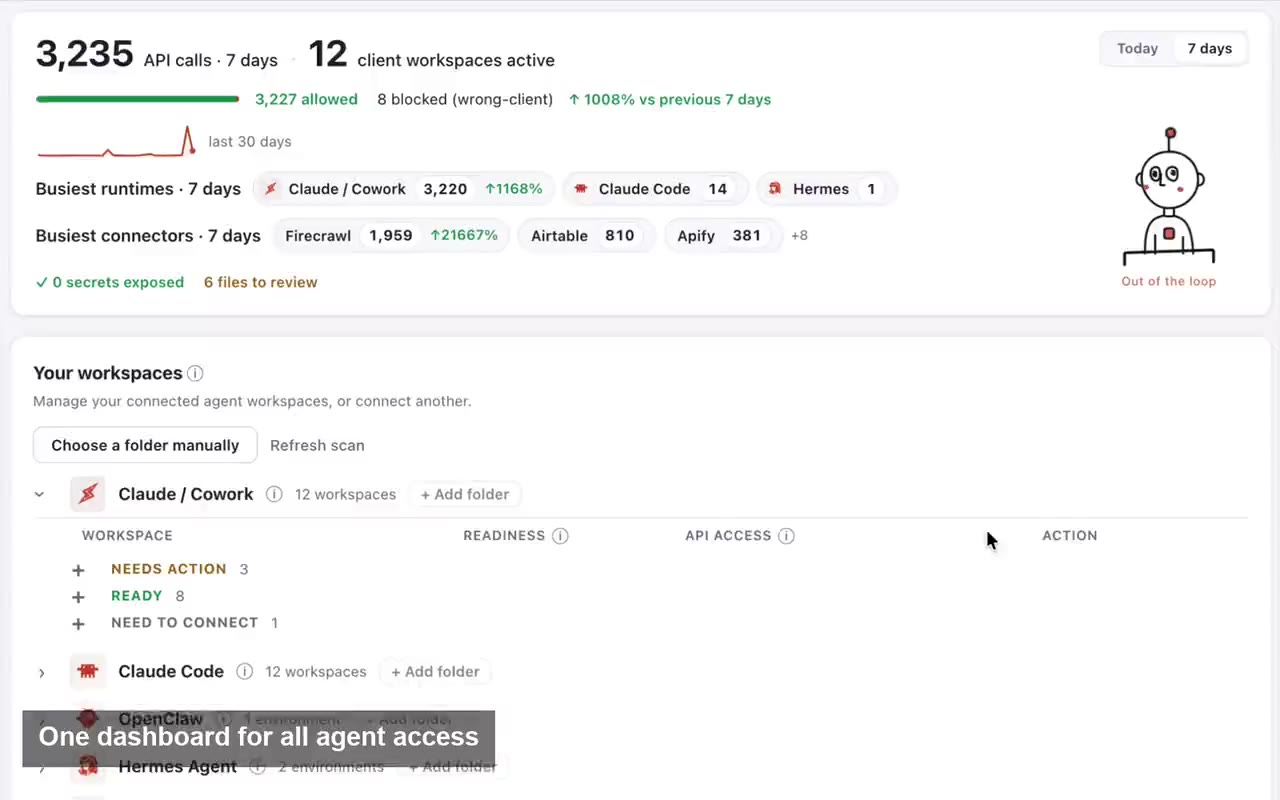





For AI agencies automating real client platforms

API or browser? Use the surface the work needs.

Use APIs and browsers where they fit. Keep the intended client clear.

Take me out of the damn API loop.

Choose APIs, browsers and human handoffs for the work while keeping the intended client Workspace. Compare task fit, operating requirements and supported browser modes.

Supported tools. Approved resources. Human handoffs where needed.

Create your trial. Download the Mac app. Run your first API proof locally.

Setup guides + product support included · API keys stay local · Cancel anytime

outloop api access vault stays locked
Outloop client workspace and approved access

One access setup Workspace approved Runtime allowed secret_exposed:false

Reuse approved API access across the runtimes your team already uses

One approved access layer for Cowork-style sandboxes, Claude Code, Codex, Hermes, and OpenClaw — without rebuilding setup for every platform. Add or change an approved runtime; context and approved access stay attached to the client workspace.

One credential. The right workspace. Any approved agent runtime. secret_exposed:false

Independent tools. Names and logos belong to their respective owners; Outloop is not affiliated with or endorsed by these projects.

Client-bound work across supported tools

  1. 01

    Client task

    Start with the intended client and a defined result.

  2. 02

    Approved Workspace

    Use this client’s Context, accounts and resources.

  3. 03

    Supported action

    Work through the approved API, browser or file path.

  4. 04

    Reviewable result

    Inspect the output and involve a person where required.

  5. 05

    Work history

    Keep the work record with the intended Workspace.

Conceptual workflow. Supported actions depend on the configured service, runtime and approved resources.

Learn · Agent loops & runtime access

Browser automation vs API access for AI agents

Last updated:

In short

Outloop is Workspace infrastructure for deploying and operating AI workers.

APIs and browsers are complementary execution surfaces. Use a supported API for structured operations, a browser for website work and visual verification, and a human handoff when authentication or judgment requires it. Keep every step tied to the intended client Workspace and approved resources.

See API work and browser review in one job.

The Webflow workflow uses approved API access for structured operations and the browser to inspect native pages and layouts.

This demonstrates complementary tools for a Webflow job, not universal browser or API superiority.

  • Structured Webflow API work
  • Native page and layout review
  • Human publishing decisions

Create your trial, then install on your company-controlled Mac. Set up your first workspace.

1:25 · A real agency Webflow workflow · No form required

Recorded agency workflow. Structured changes use approved API access; page and layout review uses the browser. Important decisions and publishing stay with the human.

Choose the execution surface. Keep the client boundary.

Outloop is Workspace infrastructure for deploying and operating AI workers. The Workspace holds the intended client’s Context, approved accounts and resources, methods and work records. An API or browser is one way to carry out the work around it.

DecisionAPIBrowser
Task fitStructured reads and changes that the service exposesWebsite workflows, visual inspection and tasks exposed in the UI
Operating requirementsApproved operations, resource identifiers, permissions and rate limitsCorrect signed-in identity, approved target, session and page state
Possible interruptionsProvider errors, quotas, permission changes or unsupported operationsExpired sessions, authentication challenges, page changes or unavailable controls
VerificationCheck the response and intended client resultCheck visible state and the intended client result
Shared requirementApproved access, correct client/account/resource and review before consequential changes

A real workflow can use both.

An AI worker may read approved data through an API, inspect a website, prepare a local file and ask a person to review the result. Use a supported path at each step. Reusing the method for another client still requires that client’s own account/resource configuration and validation.

See the recorded Webflow workflow for structured API work alongside browser editing and visual review. The campaign example below demonstrates its stated workflow, not universal recovery across every surface.

Browser identity depends on the mode.

Local Chrome: a Workspace uses its configured Chrome profile for supported work and Browser Login. Separate configured profiles provide separate browser environments.

Managed Browser: the mode uses a shared profile. Supported Browser Login recovery can restore an approved session and continue on the same task page. This is not separate browser-profile isolation for every Workspace.

In either mode, verify the intended account and resource as well as sign-in identity. One login can reach more than one client.

Authentication and review are part of execution.

Some authentication challenges and business decisions need a person. Continue after the required step is completed and verified, and check whether an interrupted action already produced a result before repeating it. Supported recovery does not guarantee that every task resumes automatically.

A refusal remains a refusal across tools. Recorded Google Ads and Meta proof shows configured approved requests succeeding and out-of-scope requests refused through Outloop.

The machine is a separate decision.

API and browser choice does not decide whether the model or execution runs locally or in the cloud. Outloop currently uses a company-controlled Mac for supported execution. Compare local/cloud access, persistence and workload economics.

Current execution scope · Reusable implementation for client Workspaces · Set up the first Workspace.
How it works

How you reuse API access in 3 steps

Add it once. Approve the workspace. Let the agent use it safely.

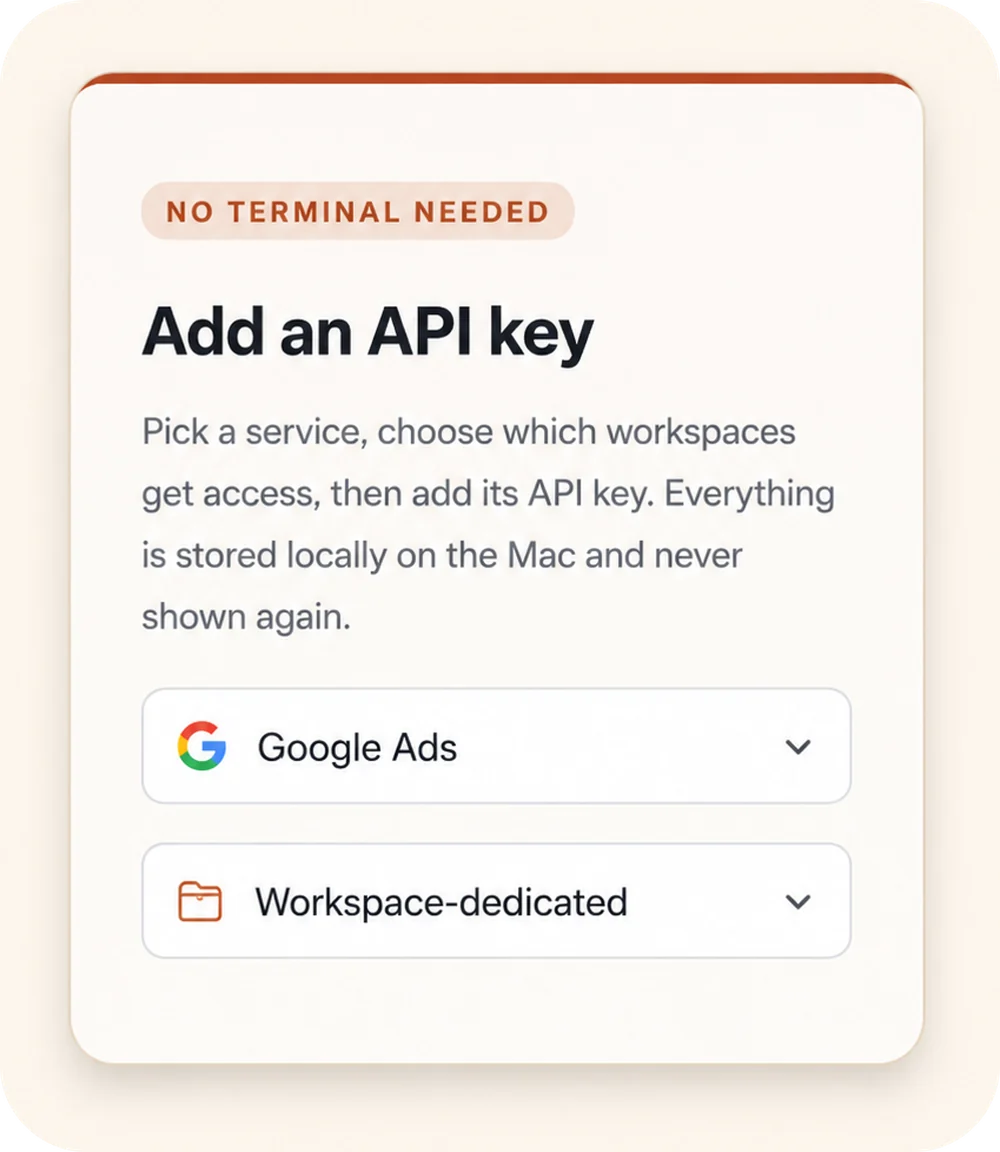
Outloop “Add an API key” panel: a “No terminal needed” badge, a service picker set to Google Ads, and a Workspace-dedicated access selector.
00

Add API access once

Choose a service, select the workspaces that should get access, and store the credential locally on the Mac.

Keys stay local
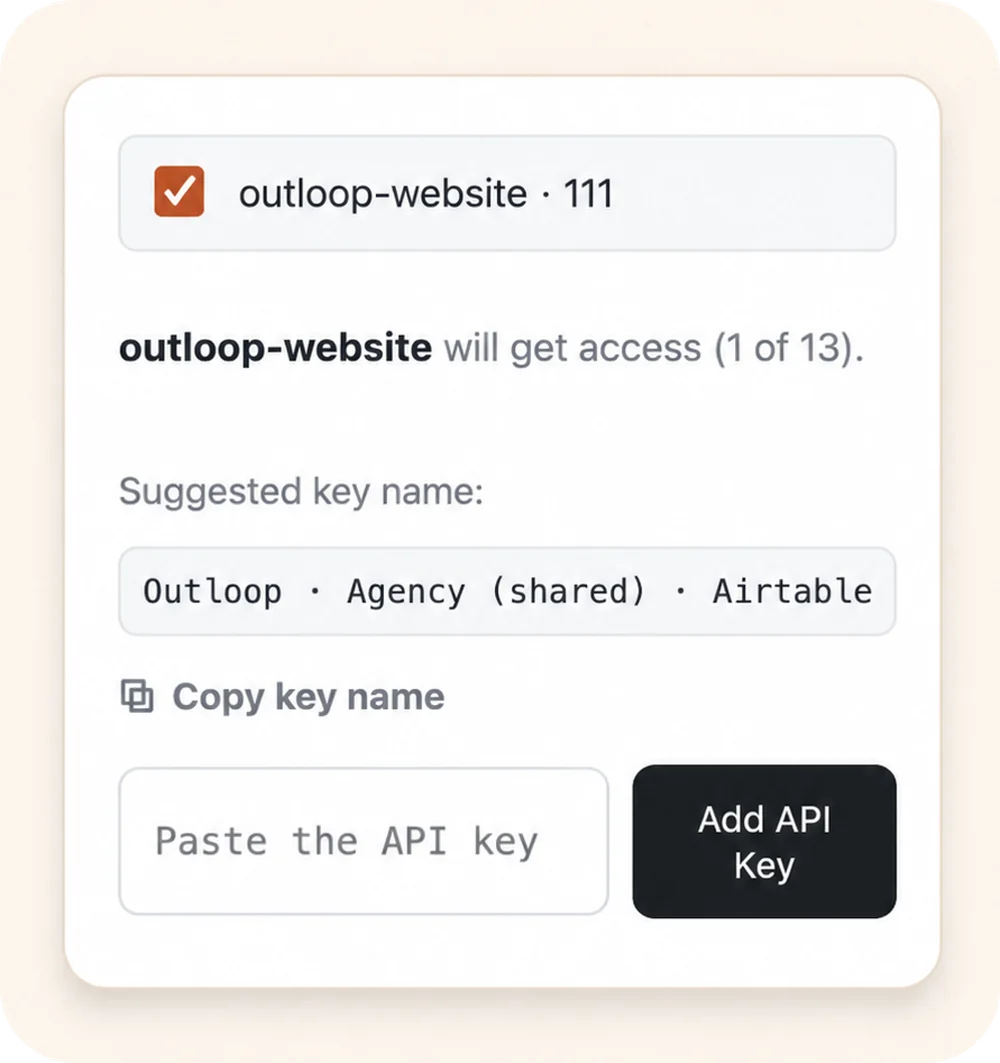
Outloop workspace approval: the outloop-website workspace selected to receive access, with a suggested key name and an empty “Paste the API key” field.
00

Approve the right workspace

Grant access only to the client workspace that should use it. Each workspace stays isolated.

Wrong-client access blocked
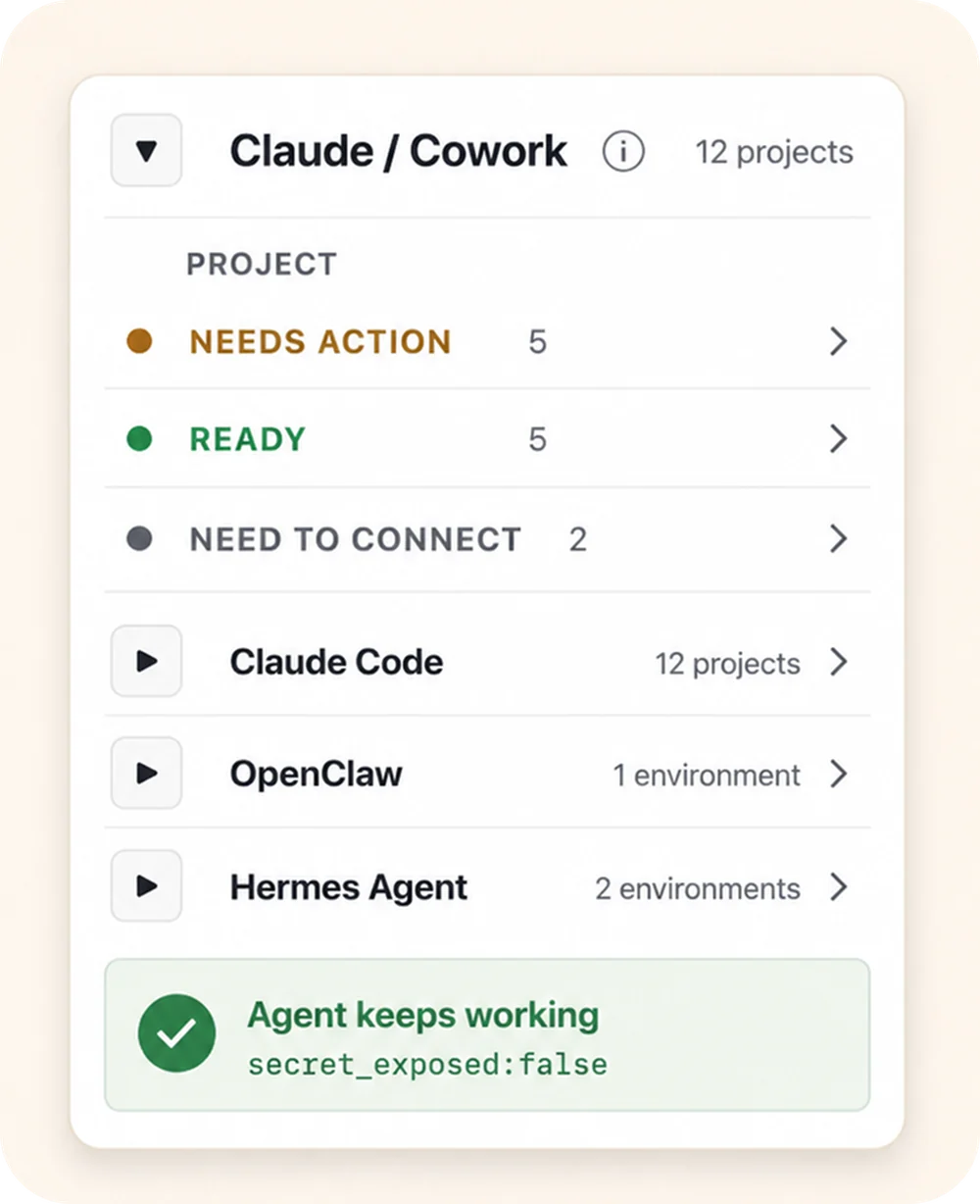
Outloop agent-projects panel: the Claude / Cowork runtime expanded to show per-project status (Needs action, Ready, Need to connect), above the Claude Code, OpenClaw, and Hermes Agent runtimes, with an “Agent keeps working — secret_exposed:false” proof badge.
00

Let agents use approved access

Connect agent projects, then let approved agents request access through Outloop without seeing the raw key.

Agent keeps working secret_exposed:false

Keys stay local Workspaces stay scoped Agents request access, not keys

Agency workflow proof

Built from real agency API workflows.

Outloop was built while running real client-agent workflows across ads, CRM, data, file, reporting, and automation APIs.

The lesson was simple: agencies don't need another place to paste keys. They need one approved access layer that lets agents work across client workspaces safely.

Explore agency API workflows
Google Ads Campaign checks
Meta Ads Account reporting
Merchant Center Product feed review
Airtable CRM & ops data
Google Drive Client asset folders
Gmail Inbox workflows
Apify Data collection
Firecrawl Web research

Example services shown for workflow context. Logos and names are trademarks of their respective owners; no official integration or endorsement is implied.

Keep your vault. Control runtime access.

macOS Keychain Supported today
1Password Not yet supported
Infisical Not yet supported
Doppler Not yet supported

Today Outloop keeps approved credentials in macOS Keychain on your company-controlled Mac. Direct integrations with external vaults such as 1Password, Infisical and Doppler are not supported yet. Outloop never replaces your vault — it controls which workspace and runtime can use approved access.

  • No API keys uploaded to cloud.
  • No raw key returned to the agent.
  • No .env files required.
  • Wrong-client access is blocked before credential use.

Give agents the stable path to client platforms.

Outloop is available with setup guides and product support for AI agencies, operators, and dev shops.

See how approved API access is checked, used, and audited in the security model.

Start 14-day trial
Frequently Asked Questions

Browser automation vs API access — FAQ

Start with one client Workspace.

Serve more clients with AI workers — and reuse what works.

Reuse reviewed methods across separately configured client Workspaces. Keep private Context, accounts, resources and work history with the intended client.

For multi-client agencies, GTM teams and implementers.