Learn
Managing API keys across many agent workspaces
Last updated:
In short
When agents run for many clients, credentials sprawl: the same key is copied into folder after folder, .env after .env, skill after skill.
Operators often end up with keys spread across dozens of separate folders — every copy a place to leak, a file to rotate, and a chance to act on the wrong client. Tenant-aware runtime access replaces the copies: connect each project once, and agents request approved actions instead of holding keys.
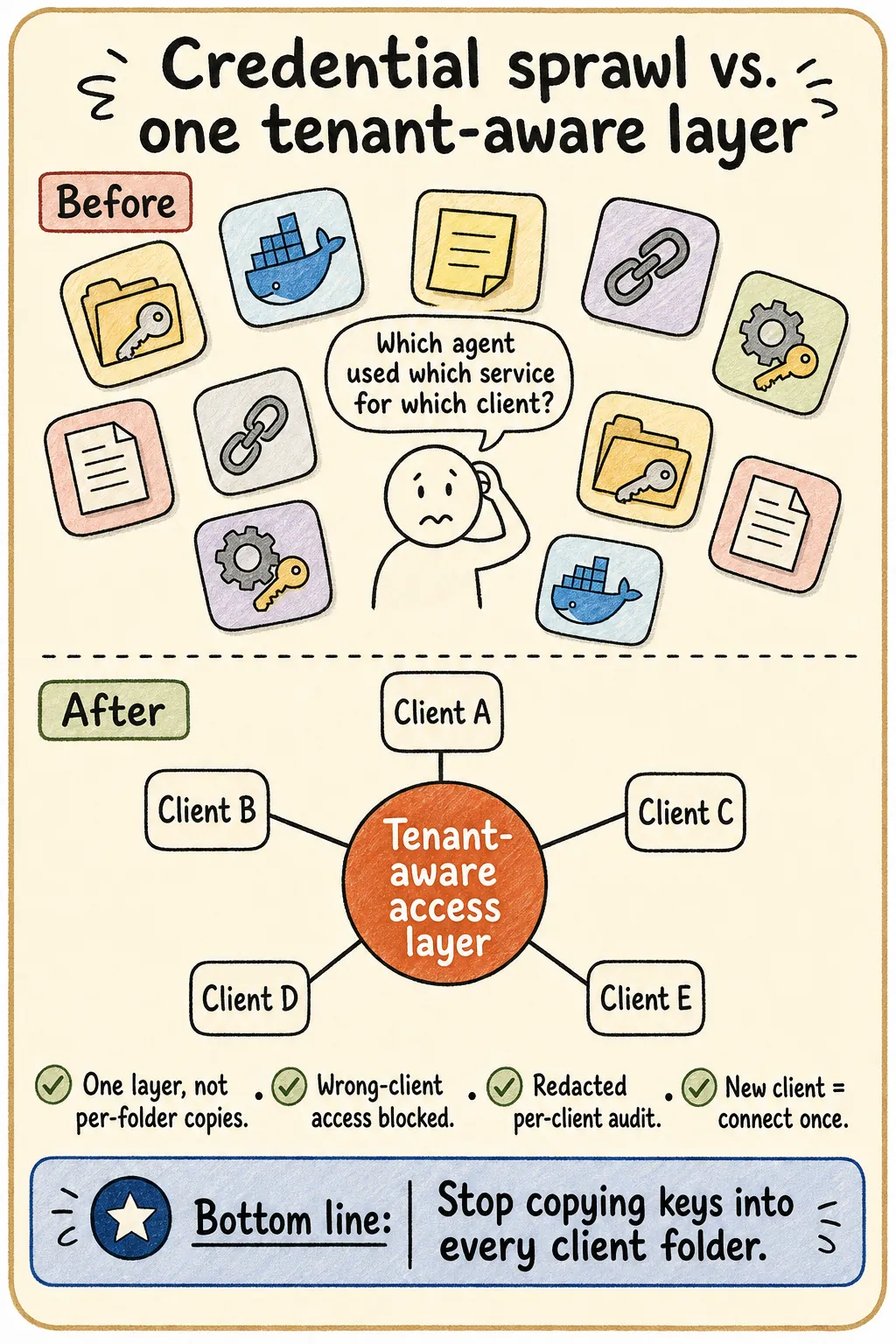
One agent, one key is easy. The pain shows up when you run agents for ten, twenty, thirty clients — and the same credential management approach that felt fine at one client quietly turns into a sprawl you cannot keep track of.
Credential sprawl across client workspaces, concretely
A client workspace is not a folder — it is an agent operating environment, with its own instructions, skills, scheduled tasks, sandbox limits, and access rules. Multiply that by every client and the credential picture looks like this:
- •The same API key copied into
.envfiles across dozens of client folders. - •Keys also living in Docker configs, local notes, and setup docs you forgot existed.
- •Skills copied from one client that still point at the previous client's account.
- •Separate OAuth identities and refresh tokens per client, each its own re-auth flow.
- •The same sprawl repeated across every agent runtime the team uses — Claude Code, Cowork-style sandboxes, n8n — each with its own copy of the same credentials.
- •API services and media/file access (Drive, Shared Drives, ad platforms, CRMs) all sprawling the same way, not just one credential type.
- •No single answer to "which agent used which service for which client?"
Every copy is another surface to leak from, another file to rotate when a key changes, and another chance an agent reaches for the wrong client's credential.
Three risks that stack up with scale
Sprawl
Keys end up spread across folders, Docker configs, local notes, and project files — too many to track.
Humans pulled back in
Agents stop and ask for credentials, turning the operator into the runtime access person for every client.
No clean audit
When something goes wrong, it is hard to know which agent used which service for which client.
Replace the copies with tenant-aware runtime access
The fix is to stop distributing the credential at all. Keep secrets in a secure local backend, connect each client project once, and let agents request approved actions:
- ✓One tenant-safe access layer per workspace — no per-folder key copies.
- ✓Wrong-client access is blocked by policy before any backend call runs.
- ✓A redacted per-client audit of what ran for whom.
- ✓Onboarding a new client connects a project — it does not hand out a new key.
The agency-global credential model
Some credentials genuinely belong at the agency level, not the client level — a shared tool the whole team uses across every account. The fix for sprawl is not to fragment those into per-client copies either. Instead, one agency-global credential is stored once and pinned to the right downstream account per client workspace: the login is shared, but each workspace only ever resolves to its own client's account. This is the same credential broker pattern applied to the agency's own shared tools, not just per-client ones.
This is exactly the agency case — see Outloop for AI agencies, the broader guide to AI agent API key management, or why .env files break down in the first place. Outloop is available with guided onboarding for agency teams; the Mac app is signed with a Developer ID and notarized by Apple, and release v1.1.6 was verified on two Macs on 24 July 2026.
Stop copying keys into every client folder.
Outloop is available with guided onboarding for AI agencies, operators, and dev shops.
Start 14-day trial