Learn
How to stop AI agents from asking you for API keys
Last updated:
In short
An agent asks for an API key because the only way it knows to use a service is to hold one — so it stops and pulls a human in.
The fix is operational: give the agent an approved-access path instead of a key field. It requests an action, a local broker performs it and returns a redacted result, and on denial it gets a clear code and a safe next step. The agent keeps moving and you stay out of the runtime credential loop.
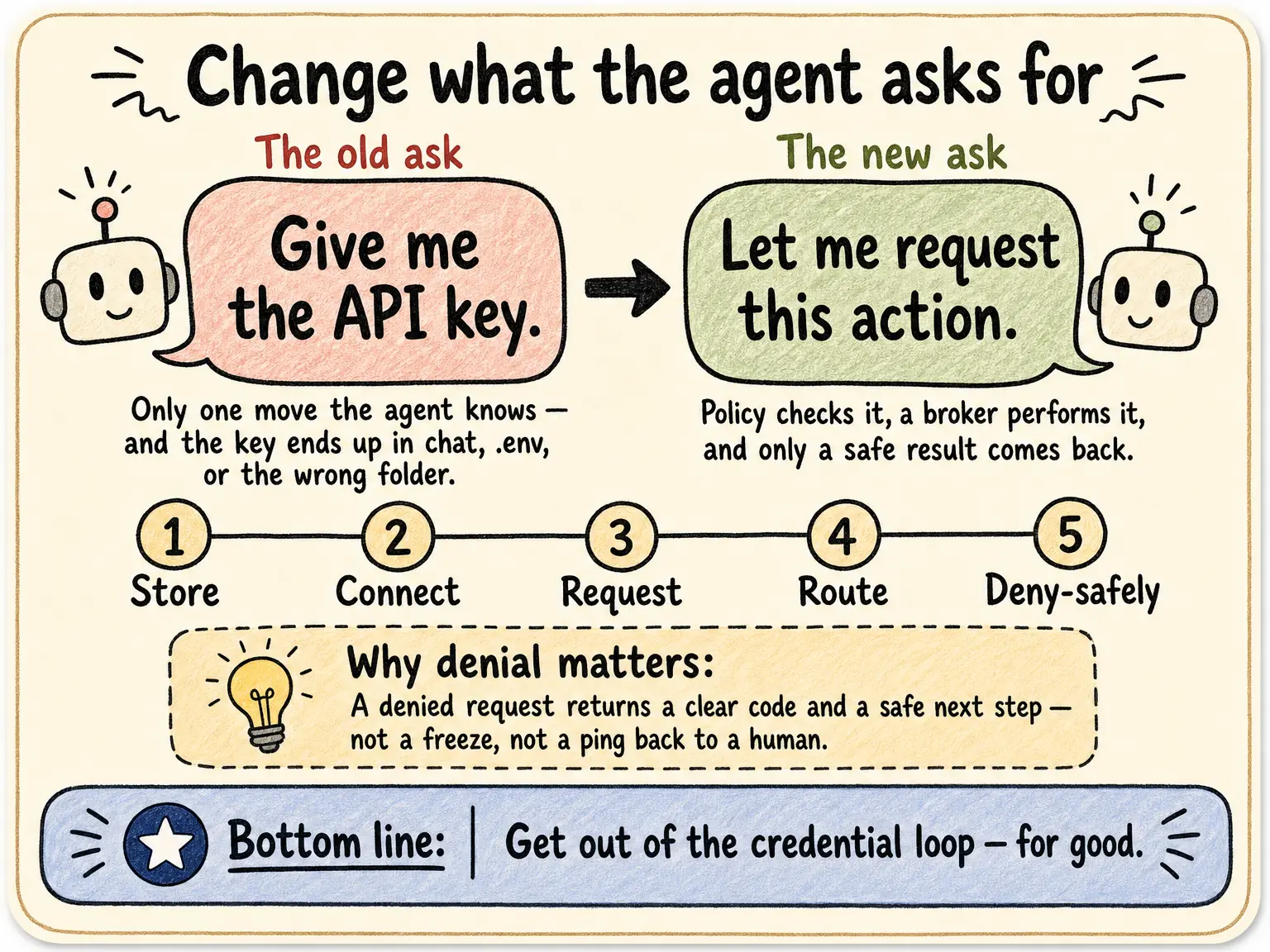
This usually gets framed as a security problem. The pain operators actually feel is simpler: the agent is supposed to be autonomous, and instead it keeps stopping to ask you for a key. Multiply that across every client workspace, skill, and scheduled task and you have become the runtime access person.
Lead with the bottleneck: take yourself out of the loop. Keeping the secret safe is the benefit that follows.
Why the asking never stops
The agent has exactly one mental model for using an API: get the key, then call the API. When it does not have the
key, the only move it knows is to ask. Hand it one and the key leaks into chat, .env,
or the wrong client's folder — and the next workspace asks again. The loop is built into the model itself.
Change what the agent asks for
Replace "ask for the key" with "request the action." Here is the path that gets you out of the loop:
- 01 Store the key locally. Keep API keys in a secure local backend such as Keychain, 1Password, Infisical, or Doppler — not in the project folder.
- 02 Connect the workspace to a tenant. Link each client folder or agent workspace to its tenant and project, so access is scoped to the right client.
- 03 Give the agent an approved-access path. Instead of a key field, the agent requests an approved action or alias through the local access layer.
- 04 Let policy decide and the broker route. The layer checks tenant and policy; on approval the local broker uses the credential on the wire and returns a redacted result.
- 05 Return a clear code on denial. If access is not allowed, the agent gets a denial code and a safe next step — so it never loops back to ask a human for a key.
What happens when the agent requests an action instead of a key
- 01
Agent request
The agent asks for an approved action or alias — not a raw key.
- 02
Policy & tenant check
Outloop checks project, tenant identity, and runtime policy before anything runs.
- 03
Local broker
On approval, the local broker uses the credential on the wire to perform the call.
- 04
Redacted result
The agent receives a sanitized, non-secret result. Raw values never enter its context.
- 05
Audit log
Every attempt is written to a redacted local audit — decision, tenant, service.
The agent never sees the credential. A wrong-tenant request is denied at the policy check, before any backend call.
Denial keeps the agent moving, not stuck
The reason agents loop back to a human is that "no" usually means "freeze." With an approved-access path, a denied request returns a clear code and a safe next action — so the agent handles it and continues, instead of waiting on you to paste something.
This is the operational half of AI agent API key management; for the multi-client version see managing keys across many workspaces. Outloop is available with guided onboarding for agency teams; the Mac app is signed with a Developer ID and notarized by Apple, and release v1.1.6 was verified on two Macs on 24 July 2026.
Get out of the credential loop.
Outloop is available with guided onboarding for AI agencies, operators, and dev shops.
Start 14-day trial