Learn
Why .env files break down for AI agents
Last updated:
In short
A .env file is fine for one developer running one app, but it puts a raw, usable secret inside the very environment an autonomous agent operates in.
Agents read files, run shell commands, write logs, and work across many client folders — so the key in .env becomes a live exposure surface, and it gets copied into folder after folder. The fix is to keep raw keys out of the project entirely and give agents a runtime access path instead.
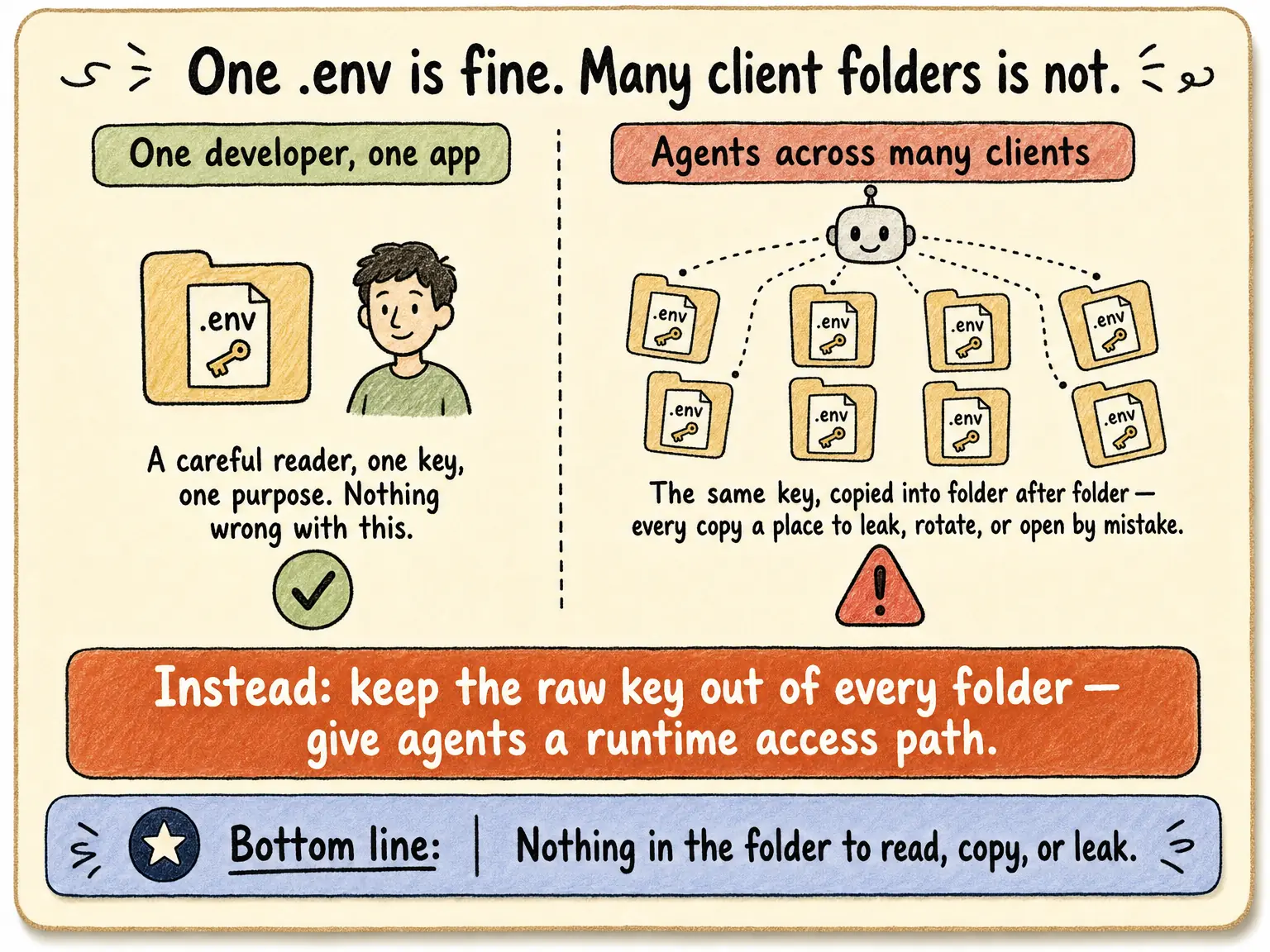
.env files earned their place. For a human developer
running one application, a local file of environment variables is simple, well understood, and kept out of version
control. Nothing wrong with that.
The trouble starts when the thing reading that file is not a developer running one app — it is an autonomous agent working across many clients.
What changes when an agent is the one reading the file
A .env file assumes a careful reader who looks at one
variable and uses it for one purpose. An agent is not that reader. It can do all of these in the same session:
- •Read arbitrary files in the workspace — including the
.envit was not asked to open. - •Run shell commands that print environment variables into the transcript.
- •Write logs and generate code that quietly embeds the key.
- •Echo output back into chat, where the secret lands in the conversation history.
Once a raw key is in the project environment, every one of those normal agent behaviors becomes a way for it to leak — into chat, logs, generated files, terminal output, or the wrong tool call.
One developer, one app vs. many agents, many clients
| Dimension | One developer, one app | Agents across many clients |
|---|---|---|
| Who reads the file | A person, for a known purpose | An agent that can read anything in the workspace |
| How many copies of the key | One | One per client folder, skill, and task |
| Leak surfaces | Mostly the file itself | Chat, logs, generated code, terminal, tool calls |
| Wrong-account risk | Low — one app | High — the wrong client's file is one read away |
| Rotation effort | Edit one file | Find and edit every copy, everywhere |
The copy problem multiplies the risk
With one app there is one .env. With many clients, the
same key gets pasted into folder after folder — and operators often describe credentials spread across dozens of
separate project folders. Every copy is another file to secure, another file to rotate, and another chance an
agent opens the wrong client's.
More on the multi-workspace sprawl problem →
Loops make it worse
It gets sharper once the agent runs in a loop
— trying, checking, and retrying unattended. Every iteration is another read of the
.env, another command that might echo it,
another generated file that might embed it. A one-shot prompt exposes the key once; a loop exposes
it on repeat, with no human watching.
Why agent loops need runtime access control →
What to do instead
The durable fix is not a stricter .env — it is keeping
the raw key out of the project folder altogether. Secrets stay in a secure local backend (Keychain, 1Password,
Infisical, Doppler). The agent gets a runtime access path instead of a key file: it requests an approved action,
a local broker uses the credential on the wire, and only a redacted result returns. There is nothing in the folder
to read, copy, or leak. To see the swap on a real workflow, read the anonymized
call-tracking use case —
same enrichment job, no plaintext key file.
This is the approach behind AI agent API key management. Outloop is available with guided onboarding for agency teams; the Mac app is signed with a Developer ID and notarized by Apple, and release v1.1.6 was verified on two Macs on 24 July 2026. See the security model for what is and isn't proven yet.
Keep raw keys out of the project folder.
Outloop is available with guided onboarding for AI agencies, operators, and dev shops.
Start 14-day trial