Use case · Anonymized real workflow
Call tracking workflows without plaintext API keys
Last updated:
In short
An agent that enriches call leads needs live data from a call-tracking API — and the usual way to give it access is a raw key in a plaintext project file.
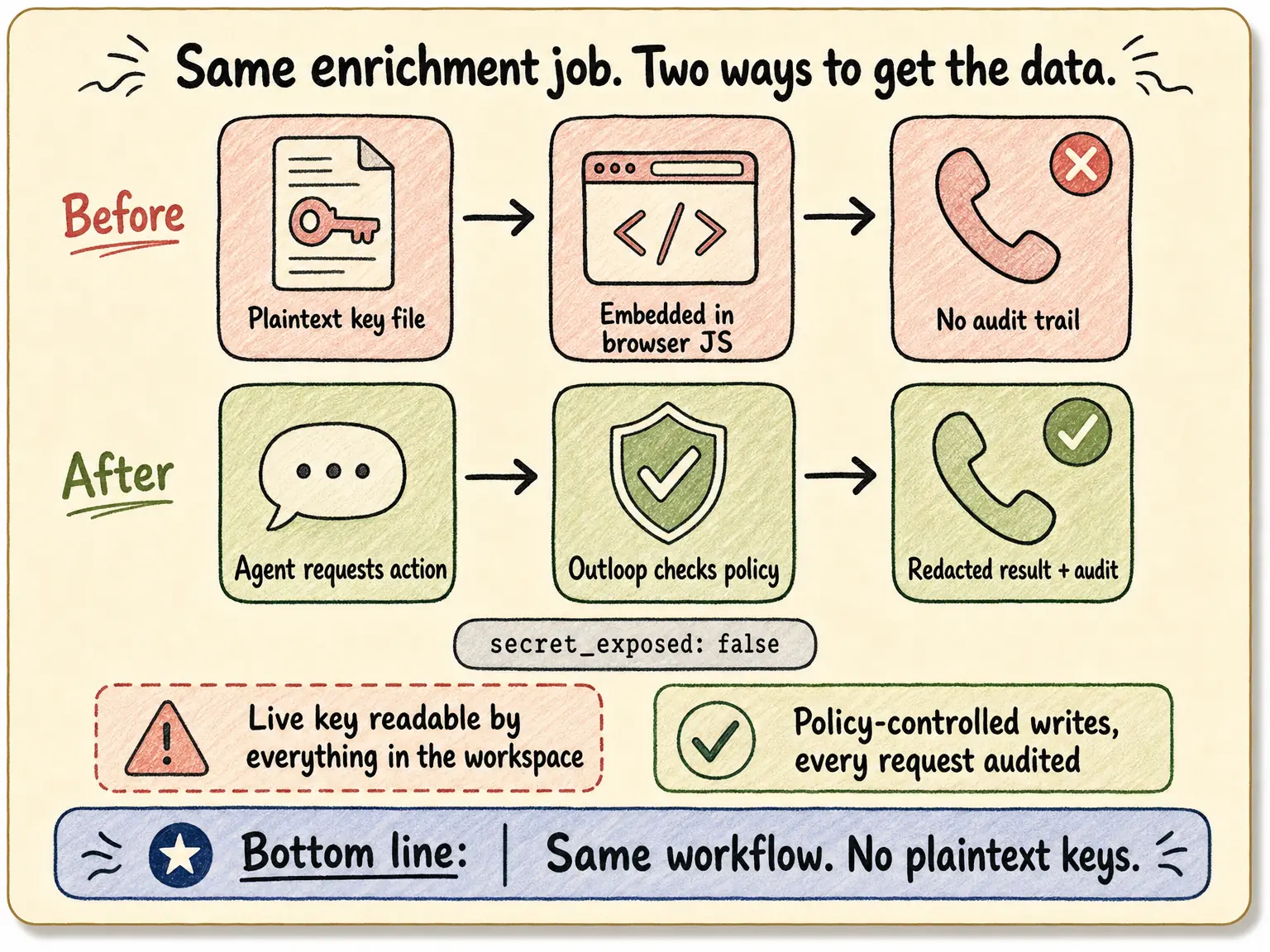
This anonymized workflow shows the alternative in production use: the agent sends an approved-action request, a local broker checks workspace and tenant policy, injects the credential host-side, and returns a redacted result. Same enrichment, no key in the workspace, every request audited.
The job: agents that work with call data
Service businesses live on calls. The agent workflows around them — qualifying new leads, QA-ing intake conversations, checking whether follow-up happened, enriching CRM records with call outcomes — all need the same thing: read access to a CallRail-style call-tracking API, per lead, many times a day. Every one of those reads needs a credential.
Before: a raw key in a plaintext file, embedded in browser code
The original pattern was the one most teams land on. The agent read the raw API key from a plaintext
credentials file in the project, then built the HTTP call itself inside browser automation — embedding
the key into an Authorization header in
generated JavaScript, calling the API directly, and post-processing the response in the same script.
It worked. It also meant: a live key readable by everything in the workspace; the key restated inside generated browser code on every run; no durable record of what was called for which client; fragile browser-runtime behavior (syntax quirks, page-focus issues, URL formatting traps) standing between the agent and the data; and a hard ceiling — adding write capability would mean handing the agent a write-scoped key in plaintext.
After: an approved-action request through Outloop
The replacement is one request envelope. The agent describes the action; Outloop checks workspace, tenant, and service policy, injects the credential locally, blocks wrong-workspace access before any call, performs the request, redacts the output, writes the audit entry, and returns only the safe result:
{
  "tenant": "<workspace>",
  "service": "call-tracking",
  "verb": "api_bridge.request",
  "method": "GET",
  "path": "/example/path"
}
The response comes back with secret_exposed: false —
the agent used the credential's capability without ever holding its value. A write is the same envelope
with a different method and a body, running as policy-controlled writes when explicitly enabled by the
operator — not a second key to manage, and never a raw write-scoped credential in the workspace.
Before / after
| Aspect | Plaintext file + browser request (before) | Outloop bridge (after) |
|---|---|---|
| Where the key lives | Plaintext file in the project | Local keychain/vault — never in the workspace |
| What the agent sees | The raw key, on every run | secret_exposed: false — a redacted result |
| Audit trail | None — calls happen inside browser code | Every request audited with its policy decision |
| Runtime behavior | Browser-JS footguns: syntax guards, tab focus, URL quirks | Stable request envelope — no browser in the loop |
| Writes (tags, notes, updates) | Unsafe — a write key in plaintext browser JS | Policy-controlled writes when explicitly enabled |
| Wrong-workspace protection | Manual discipline | Blocked by tenant policy before any call |
Why this generalizes past call tracking
Nothing here is specific to call data. Any agent workflow that reads a client API from a key in a project file has the same exposure — that is why plaintext key files break down for agents, and in multi-client work the sharpest failure is the right key used on the wrong client. The pattern behind the fix is AI agent API key management done structurally; teams running agents for many clients can see the bigger picture in Outloop for AI agencies.
This is an anonymized description of a real deployed workflow, shared with identifying details removed — not a public customer case study. Outloop is available with guided onboarding for agency teams; see the security model.
Same workflows. No plaintext keys.
Outloop is available with guided onboarding for AI agencies, operators, and dev shops.
Start 14-day trial