Learn · Agent loops & runtime access
Claude Code API key: setup, risks, and the safer pattern
Last updated:
In short
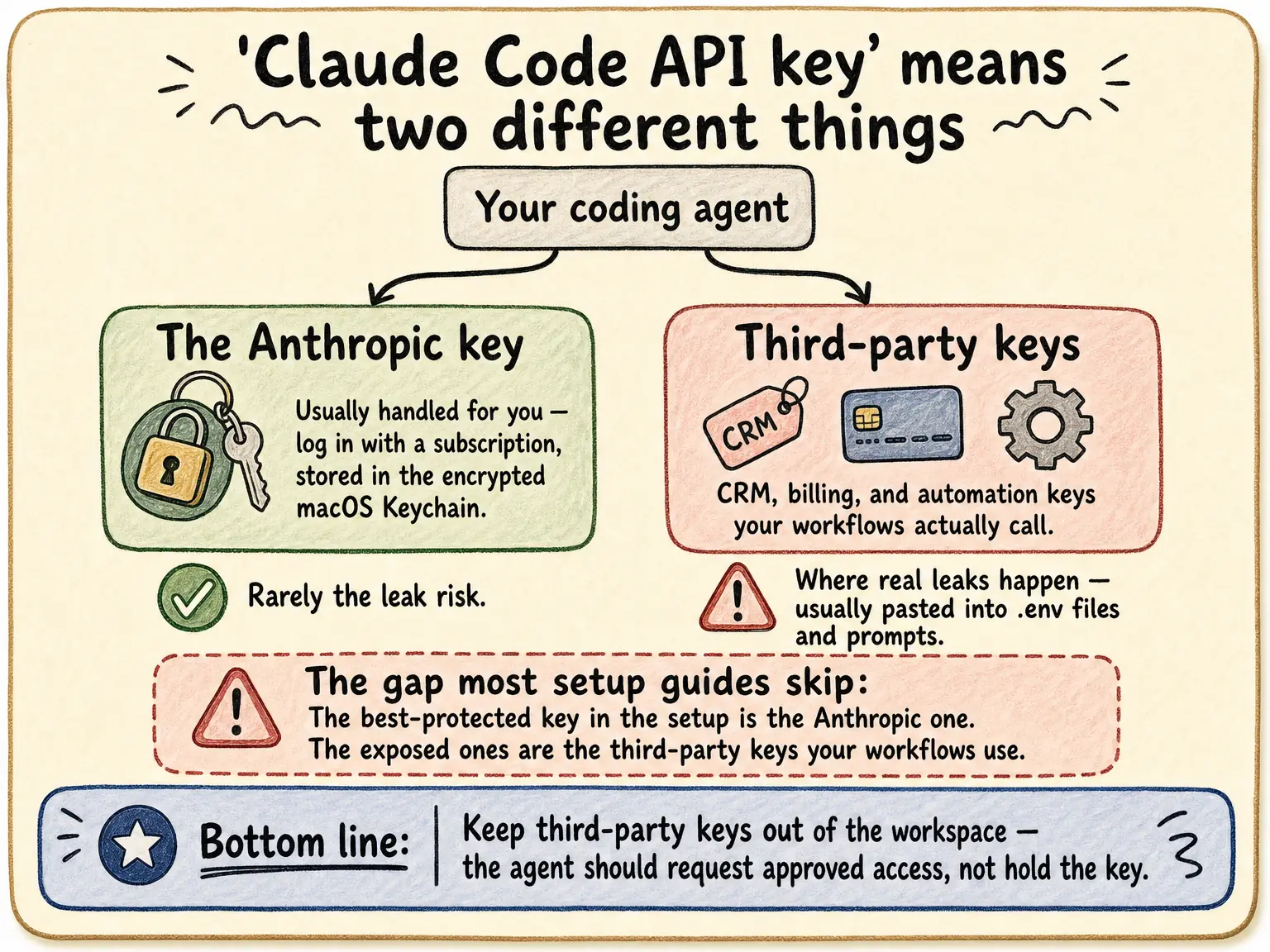
"Claude Code API key" covers two different things: the Anthropic credential that runs Claude Code itself, and the third-party API keys your workflows use to call other services.
The first is mostly handled for you — log in with a Claude subscription and you never touch a raw key; credentials are stored by the app, in the encrypted Keychain on macOS. The keys that deserve your attention are the second kind: CRM, billing, and automation keys pasted into .env files and prompts, inside a workspace the agent can read, run, and log from. Those belong behind a runtime access layer.

Outloop is built for iterative coding-agent workflows like Claude Code; it does not claim official platform support beyond what is verified. Claude Code is an independent tool — names and logos belong to their respective owners.
Do you even need an Anthropic API key for Claude Code?
Often, no. Per Anthropic's documentation, the default path for individual users is logging in with a
Claude subscription (Pro, Max, Team, or Enterprise) — no raw API key is ever handled, and on macOS the
stored credentials live in the encrypted system Keychain rather than a file in your project. An
ANTHROPIC_API_KEY environment variable is
the route for API/Console billing, SDK use, and CI environments, and Anthropic documents further
options for enterprise setups (key-helper scripts, Amazon Bedrock, Google Vertex AI). Authentication
options vary by account type — check the
official authentication docs
for your setup. Whichever path you use, the same rule applies: the key does not belong hardcoded in
project files.
The keys that actually leak are usually not the Anthropic one
The Anthropic credential is the best-protected key in the whole setup. The exposed ones are the keys
your workflows use: the Stripe key for a billing check, the Airtable key for a CRM update, the
client's email or automation key. In practice those get pasted into
.env files, prompts, or per-project config —
inside the same workspace a coding agent reads, executes shell commands, and writes logs from. That is
the gap "Claude Code API key" setup guides skip, and it is where real leaks happen.
Why .env files break down for agents.
Where API keys leak in Claude Code workflows
The common surfaces: .env and config files
the agent reads, keys quoted back into chat transcripts, terminal output and logs, generated code that
embeds a value it saw, and — for teams working across clients — the same key copied into folder after
folder, where the worst failure is not even a leak but the
right key used on the wrong client.
The longer a workflow runs unattended, the more passes over each of these surfaces —
why iterative Claude Code workflows raise the stakes.
The safer pattern: runtime access instead of key handover
Keep third-party keys out of the workspace entirely. Secrets stay in your vault or OS keychain; the workflow requests an approved action through a local runtime access layer; a broker applies the credential on the wire and returns a redacted result. The agent uses the capability without ever holding the value — the core of AI agent API key management. Outloop is the local-first version of that layer for multi-client teams: per-workspace grants, wrong-client use blocked by policy before any call, and a redacted local audit of every attempt — see Outloop for AI agencies.
Outloop is available with guided onboarding for agency teams; the Mac app is signed with a Developer ID and notarized by Apple, and release v1.1.6 was verified on two Macs on 24 July 2026. See the security model.
Stop pasting client API keys into agent workspaces.
Outloop is available with guided onboarding for AI agencies, operators, and dev shops.
Start 14-day trial