Learn · Claude Code & coding agents
Can Claude Code workflows expose API keys?
Last updated:
Facts last verified against primary sources: June 11, 2026
In short
Yes, in one specific and checkable way: credentials that enter the workflow — typed into approved commands or sitting in workspace files — can persist in .claude/settings.local.json and ship wherever the project ships.
In April 2026, Lakera found 428 npm packages containing that settings file; roughly one in thirteen of those files held something sensitive. The file itself is working as documented — it stores the permission rules you approve. The exposure happens when raw credentials enter those rules or the workspace. Keys the agent never holds can't be cached or published.

Outloop is built for iterative coding-agent workflows like Claude Code; it does not claim official platform support beyond what is verified. Claude Code is an independent tool — names and logos belong to their respective owners.
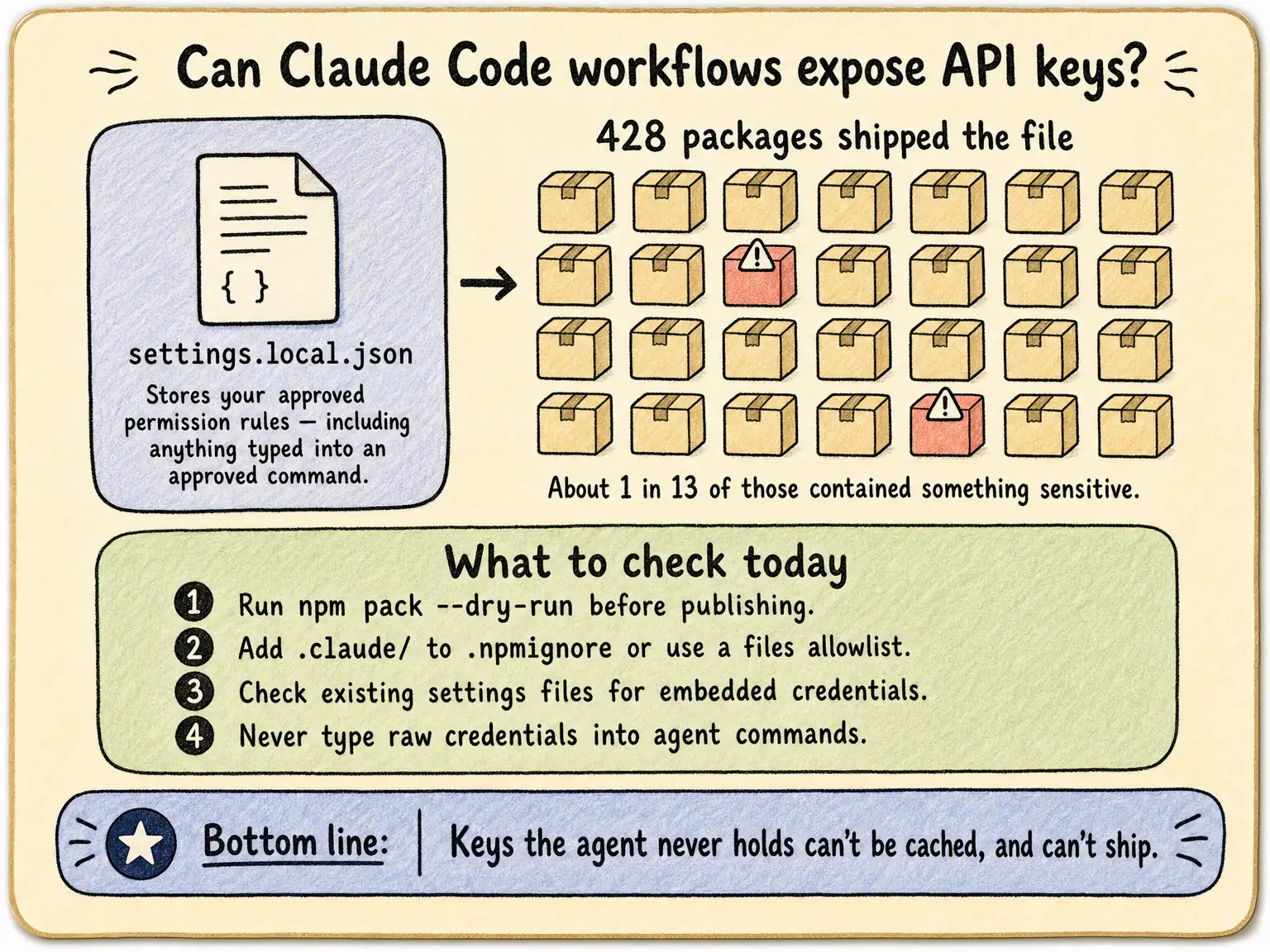
What the Lakera study actually found
Lakera scanned ~46,500 npm packages and found
428 packages shipping a .claude/settings.local.json file
(April 2026). Of those, 33 files across 30 packages — roughly one in thirteen settings files that
shipped — contained something sensitive. The same year, GitGuardian measured Claude Code-assisted
commits leaking secrets at 3.2% versus a 1.5% baseline. The full sourced numbers live on our
credential leak statistics page.
What settings.local.json is — and the gap
Per Anthropic's documentation, it is the per-project local settings file: personal preferences plus the
permission rules you approve. Choose "Yes, don't ask again" for a shell command and that command is
written there permanently for the project — including anything embedded in it. Anthropic documents that
Claude Code configures git to ignore the file when it creates it. What the docs do not cover is
npm: publishing uses the files field
and .npmignore, not your gitignore alone —
and that mismatch is exactly how 428 packages shipped the file.
What to check today
- 1.Before publishing, run
npm pack --dry-runand confirm no.claude/directory appears in the tarball. - 2.Add
.claude/to.npmignore, or better, use an explicitfilesallowlist in package.json. - 3.Open your existing
settings.local.jsonfiles and look at the approved commands — if any embed a credential, rotate it. - 4.Stop typing raw credentials into agent commands and prompts — the cache can only persist what enters the workflow.
The structural fix: keys the agent never holds can't be cached
Checklists reduce the odds; structure removes the category. If the third-party keys your workflows use never enter the workspace — the agent requests an approved action and a local broker applies the credential host-side — then there is nothing for a settings cache, a file history, or an npm tarball to leak. That is the pattern behind Claude Code API key management and it matters most when workflows run iteratively across many client workspaces.
Outloop is available with guided onboarding for agency teams; the Mac app is signed with a Developer ID and notarized by Apple, and release v1.1.6 was verified on two Macs on 24 July 2026. See the security model.
Nothing sensitive in the workflow. Nothing sensitive in the cache.
Outloop is available with guided onboarding for AI agencies, operators, and dev shops.
Start 14-day trial