



For AI agencies automating real client platforms

Browser automation is not an agency operating system.

Demos click through a UI. Client work needs stable, approved API access.

Take me out of the damn API loop.

Computer Use and Playwright can drive a website like a human — and for a demo, that looks like magic. Run it across real client ad accounts, analytics, and CRMs and the seams show: sessions expire, selectors break, and one logged-in browser holds far more access than the task needs.

No fragile sessions. No wrong-account clicks. Every call audited.

Create your trial. Download the Mac app. Run your first API proof locally.

Guided setup included · API keys stay local · Cancel anytime

outloop api access vault stays locked

One access setup Workspace approved Runtime allowed secret_exposed:false

Reuse approved API access across the runtimes your team already uses

One approved access layer for Cowork-style sandboxes, Claude Code, Codex, Hermes, and OpenClaw — without rebuilding setup for every platform.

One credential. The right workspace. Any approved agent runtime. secret_exposed:false

Independent tools. Names and logos belong to their respective owners; Outloop is not affiliated with or endorsed by these projects.

Learn · Agent loops & runtime access

Browser automation vs API access for AI agents

Last updated:

In short

Browser automation lets an AI agent drive a website like a human — useful for demos and one-off tasks, but too fragile and too broad to be how an agency's agents reach client ad accounts, analytics, and business systems.

Browser-driven agents depend on live login sessions, page layouts, and anti-bot tolerance, and a logged-in session can touch everything the account can. For real client work, approved API access is more stable and safer: the agent requests a specific action, policy checks the client workspace, the credential is used on the wire host-side, and the call is audited. Browser automation still fits prototypes and services with no API.

Browser automation is genuinely useful, and this page is not an argument against Playwright or Computer Use. It is an argument about where they belong in an agency. Watching an agent open a browser, log into a dashboard, and click through a task is the most convincing demo in AI right now. The problem starts when that demo becomes the plan for running twenty client accounts every day.

Agencies feel this the same way they feel the API-key loop: the workflow works until it doesn't, and every failure pulls a human back in — to re-login, to solve a CAPTCHA, to repair a broken flow, or to explain a change in a client account that nobody can trace.

Where browser-driven agents break in real client work

Sessions and logins

Cookies expire, sessions time out, and two-factor prompts stop a run mid-task. Every re-login pulls a human back into the loop.

Selectors and layouts

A browser flow is coupled to the page. A redesign, an A/B test, or a new banner breaks the script — silently or loudly.

Speed and cost

Driving a UI is slow: render, scroll, click, wait. An API call does the same work in one request.

Anti-bot friction

Sensitive platforms actively challenge automated browsers — CAPTCHAs, device checks, unusual-activity flags on the client’s account.

No per-action scoping

A logged-in browser session can touch everything the account can. There is no policy layer between the agent and a destructive click.

No clean audit

Screenshots and DOM logs are not an audit trail. When something changes in a client account, "what did the agent do?" has no reliable answer.

Your agent should not log into Meta Ads like a human

The worst place for a fragile pattern is a sensitive platform. Ad accounts, analytics properties, and CRMs are billing-connected, client-owned, and full of irreversible buttons. A browser agent inside one holds the entire logged-in session — every campaign, every client the login can reach — with nothing between a misread page and a wrong click. That is also exactly the shape of the wrong-client mistake: valid access, pointed at the wrong account.

The same platforms offer mature APIs precisely because programmatic access is how real operational work is meant to run. The setup is admittedly harder — OAuth clients, refresh tokens, developer tokens, customer IDs (our Google Ads guide walks through the whole thing) — but it is done once, and what you get back is access that does not expire with a cookie, does not break with a redesign, and can be scoped and audited per client.

Where browser automation still makes sense

  • Prototypes and demos — proving a workflow before investing in API setup.
  • Public pages — research and reading tasks that need no login at all.
  • Services with no usable API — sometimes the UI genuinely is the only route; keep a human near the sensitive steps.
  • One-off internal tasks — where a broken run costs minutes, not a client relationship.

The API-first pattern for agencies

API-first only pays off if the access itself is handled well — a raw token in a .env file trades browser fragility for a different leak surface. The stable shape is approved access per client workspace: the agent requests an action, policy decides, and the credential is used on the wire host-side.

What happens when the agent requests an API action instead of driving a browser

  1. 01

    Agent request

    The agent asks for an approved action or alias — not a raw key.

  2. 02

    Policy & tenant check

    Outloop checks project, tenant identity, and runtime policy before anything runs.

  3. 03

    Local broker

    On approval, the local broker uses the credential on the wire to perform the call.

  4. 04

    Redacted result

    The agent receives a sanitized, non-secret result. Raw values never enter its context.

  5. 05

    Audit log

    Every attempt is written to a redacted local audit — decision, tenant, service.

The agent never sees the credential. A wrong-tenant request is denied at the policy check, before any backend call.

What this gets you

  • Access that survives redesigns, session expiry, and anti-bot checks — agents keep working.
  • Per-action, per-workspace scoping instead of a whole logged-in session.
  • Wrong-client use blocked by policy before any backend call runs.
  • A redacted local audit answering "what did the agent do?" per client.
Keep reading

How it works

How you reuse API access in 3 steps

Add it once. Approve the workspace. Let the agent use it safely.

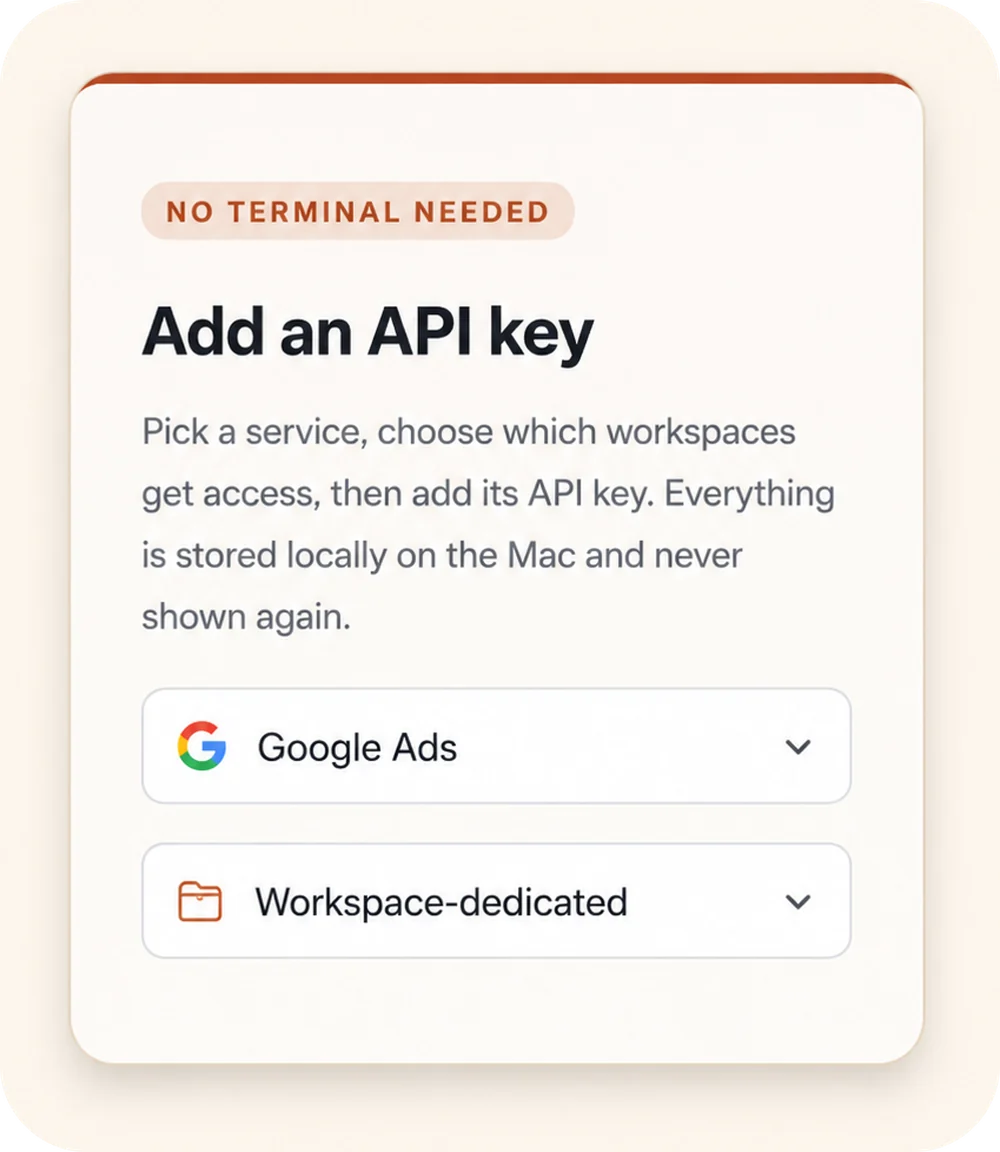
Outloop “Add an API key” panel: a “No terminal needed” badge, a service picker set to Google Ads, and a Workspace-dedicated access selector.
00

Add API access once

Choose a service, select the workspaces that should get access, and store the credential locally on the Mac.

Keys stay local
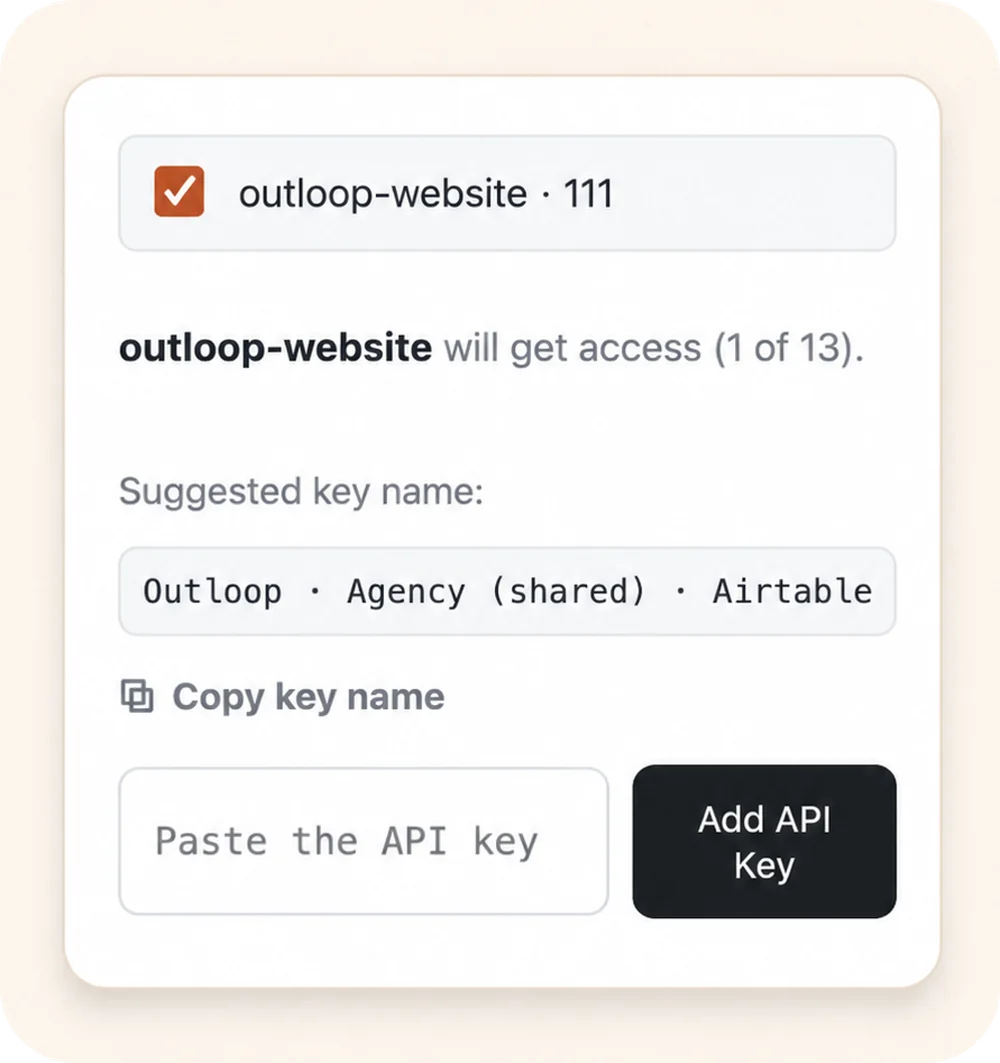
Outloop workspace approval: the outloop-website workspace selected to receive access, with a suggested key name and an empty “Paste the API key” field.
00

Approve the right workspace

Grant access only to the client workspace that should use it. Each workspace stays isolated.

Wrong-client access blocked
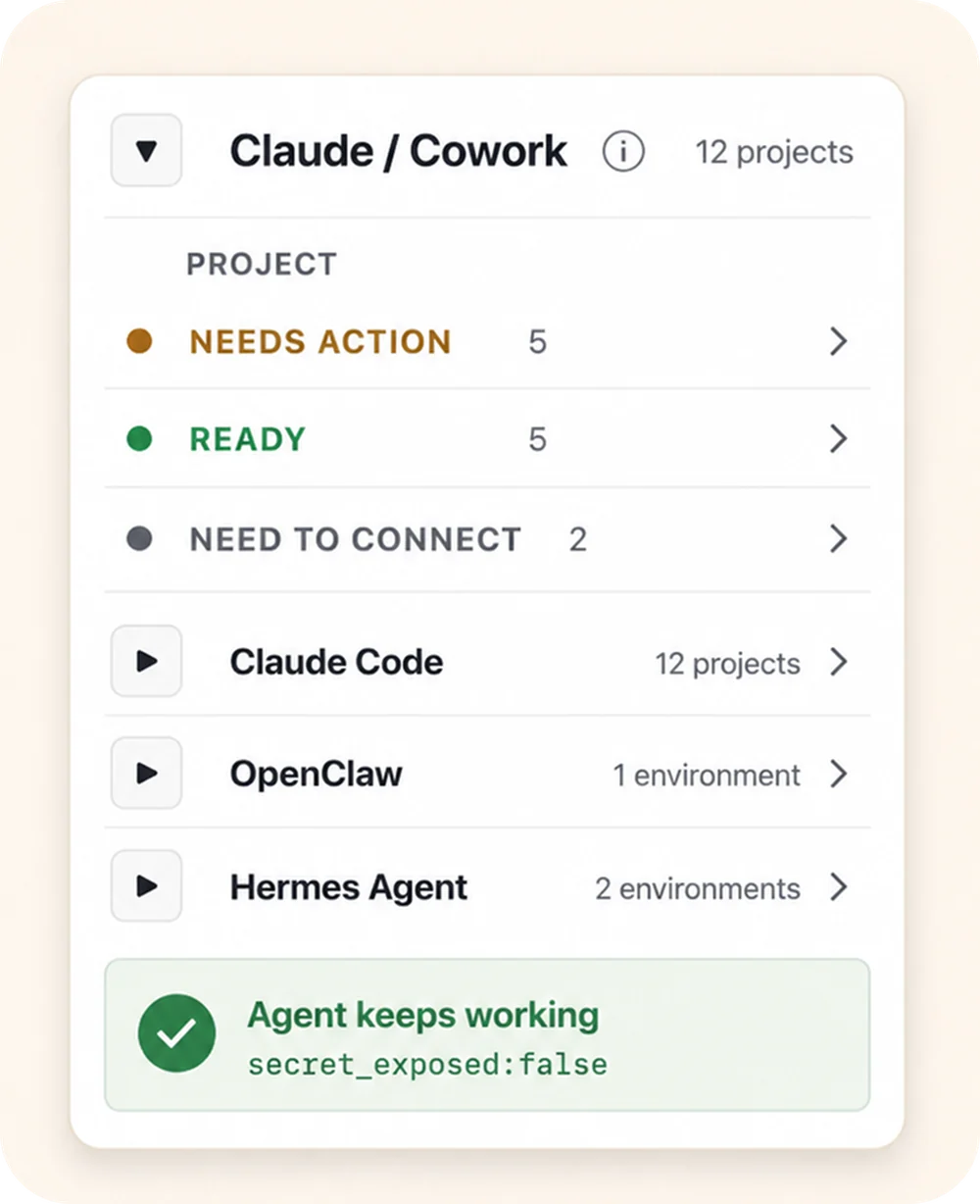
Outloop agent-projects panel: the Claude / Cowork runtime expanded to show per-project status (Needs action, Ready, Need to connect), above the Claude Code, OpenClaw, and Hermes Agent runtimes, with an “Agent keeps working — secret_exposed:false” proof badge.
00

Let agents use approved access

Connect agent projects, then let approved agents request access through Outloop without seeing the raw key.

Agent keeps working secret_exposed:false

Keys stay local Workspaces stay scoped Agents request access, not keys

Agency workflow proof

Built from real agency API workflows.

Outloop was built while running real client-agent workflows across ads, CRM, data, file, reporting, and automation APIs.

The lesson was simple: agencies don't need another place to paste keys. They need one approved access layer that lets agents work across client workspaces safely.

Explore agency API workflows
Google Ads Campaign checks
Meta Ads Account reporting
Merchant Center Product feed review
Airtable CRM & ops data
Google Drive Client asset folders
Gmail Inbox workflows
Apify Data collection
Firecrawl Web research

Example services shown for workflow context. Logos and names are trademarks of their respective owners; no official integration or endorsement is implied.

Keep your vault. Control runtime access.

1Password
macOS Keychain
Infisical
Doppler

Outloop works above Keychain, 1Password, Infisical, Doppler, and other secure backends. It does not replace your vault. It controls which workspace and runtime can use approved access.

  • No API keys uploaded to cloud.
  • No raw key returned to the agent.
  • No .env files required.
  • Wrong-client access is blocked before credential use.

Give agents the stable path to client platforms.

Outloop is available with guided onboarding for AI agencies, operators, and dev shops.

See how approved API access is checked, used, and audited in the security model.

Start 14-day guided trial
Frequently Asked Questions

Browser automation vs API access — FAQ

Ready to get out of the API loop?

Run more client AI workflows without rebuilding API access every time.

Connect API access once and reuse it across every client workspace — instead of rebuilding setup for each new one.

For agencies and operators managing 5 to 100 client workspaces.