Your AI agent ships the landing page.
You set the boundaries.
Create, update and restore landing pages on Cloudflare + GitHub, operated through Outloop. Give the agent an approved workflow, keep the credentials out of its hands, and check the result live.
A real implementation, explained step by step.
Reference report: 21 October 2026 · Client identity withheld.
- 01AI agent + OutloopClient brief, reusable method, approved access
- 02GitHubPrivate source · commits · reviewable history
- 03Cloudflare Workers BuildsBuild the authorized revision and deploy
- 04A live landing pageStatic Assets for pages · R2 for video
Verify the page. Keep a recovery point.
Repeat inside the approved scope.
A whole site,
through the workflow.
The implementation team’s 21 October report records the following results on one reference project.
These are dated, supplied results. They have not been independently rerun for this guide and are not a promise for every deployment.
- Pages
- 73 / 73Imported pages reported live
- Static assets
- 1,889 / 1,889Images, styles, scripts and fonts
- Videos
- 178 / 178R2 delivery with HTTP 206 and video/mp4
- Legacy redirects
- 42 / 42301 redirects retaining gclid and UTMs
- Lifecycle
- 2 complete runsCreate, edit, restore, rollback and delete
- Push to live
- About 60 secondsObserved build time; not a service guarantee
Set it up once.
Reuse the method.
Nine steps, from repository to verified page. Start with a preview and bring the owner in at the four approval points.
Before you start
Use one Outloop Workspace for the client’s brief, site files, approved accounts and operating rules. This walkthrough follows a static-site implementation using Claude Code; other runtimes need their own workflow validation.
You need a private GitHub repository, a Cloudflare account with the intended domain’s zone, Outloop on a company-controlled Mac, a supported agent runtime, and a static export or site framework. R2 activation can require a payment method. Check provider plans and usage limits before enabling paid services.
The owner approves the GitHub App, creates and enters the two provider tokens directly in Outloop, enables R2, and approves production domain routes. Agree in advance which routine page changes the agent may publish. New access, spending and deletion of a whole site remain owner decisions.
1. Create a private repository
In GitHub, choose New repository → Private, add a README and create the repository. A neutral name such as ai-landing-pages makes the purpose clear. Keep each client’s source and configuration in the intended repository.
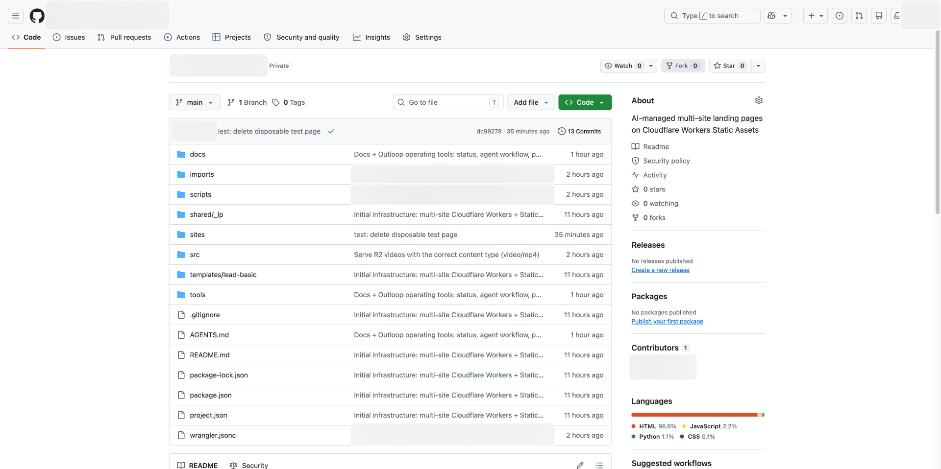
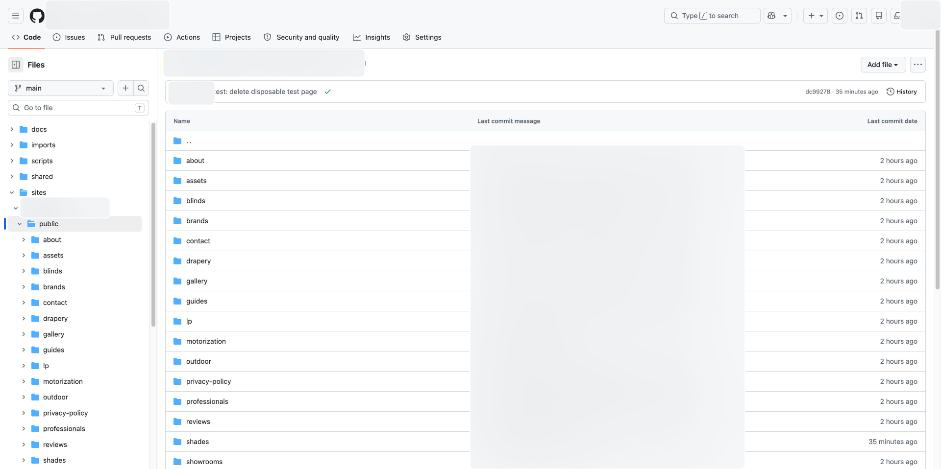
The reusable framework separates site content from its routing rules:
sites/<site-id>/site.json    domains, redirects and response headers
sites/<site-id>/public/     HTML, images, styles and scripts
src/worker.js               Worker entry point
src/router.js               host routing, redirects and media
scripts/build.mjs          build and validation
scripts/import_zip.py      static-export import
wrangler.jsonc             Worker, assets, R2 and routes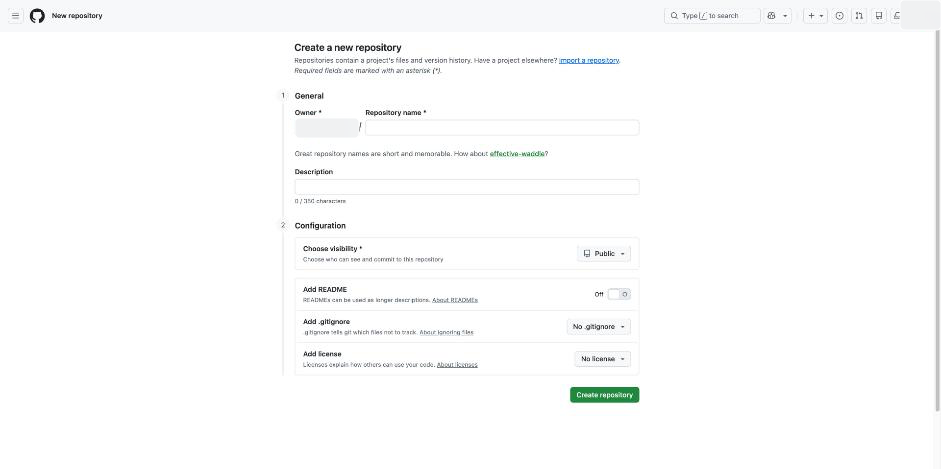
See the completed private repository
2. Connect Workers Builds to GitHub
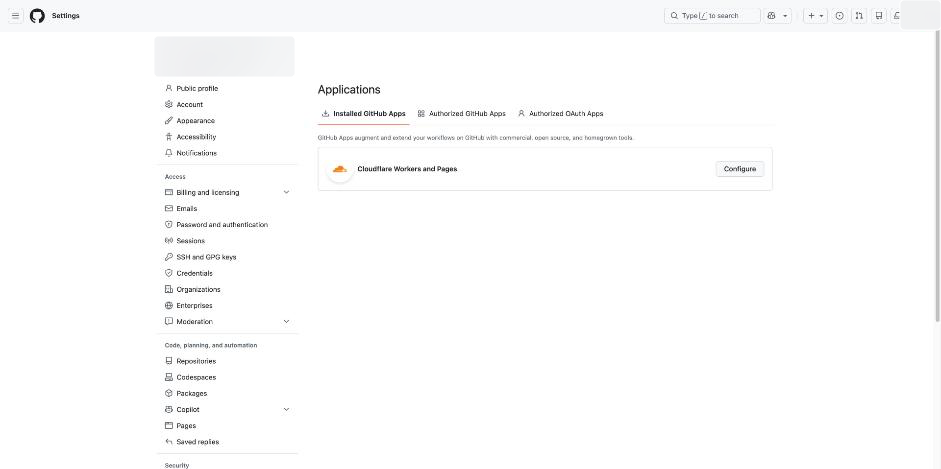
Owner approval: install the Cloudflare Workers and Pages GitHub App for Only select repositories, and select this repository.
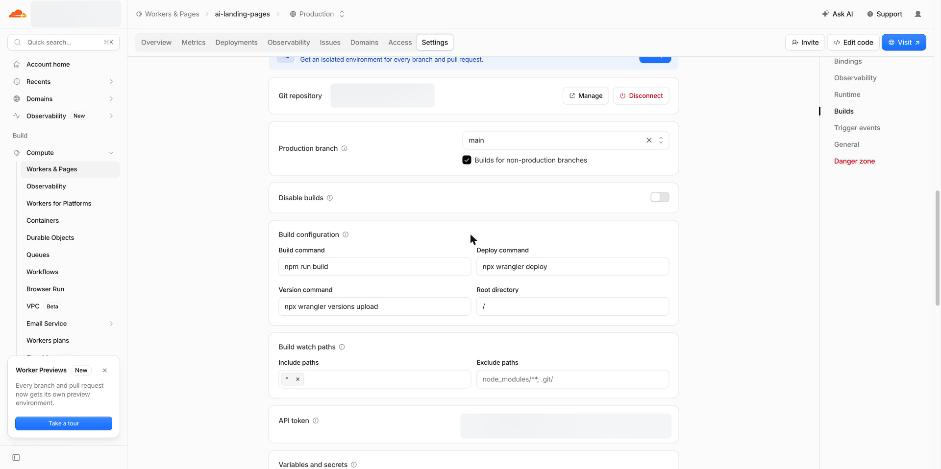
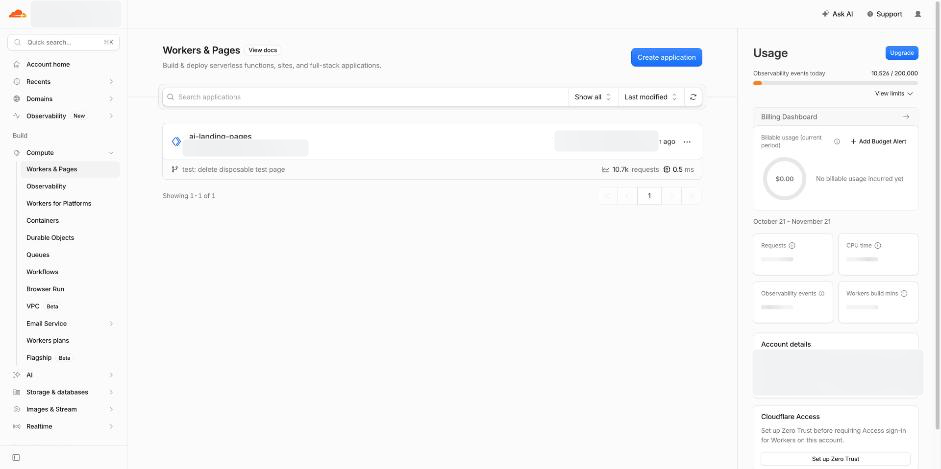
In Cloudflare, open Workers & Pages → Create → Continue with GitHub, select the repository and configure the build:
| Setting | Reference configuration |
|---|---|
| Production branch | main |
| Build command | npm run build |
| Deploy command | npx wrangler deploy |
| Non-production deploy command | npx wrangler versions upload |
| Non-production branch builds | Enabled |
| Root directory | / |
A production-branch push is a publication action. Use a branch preview when review is required, and confirm the build settings before pushing. The reference project observed about 60 seconds from push to live; build duration is not guaranteed.
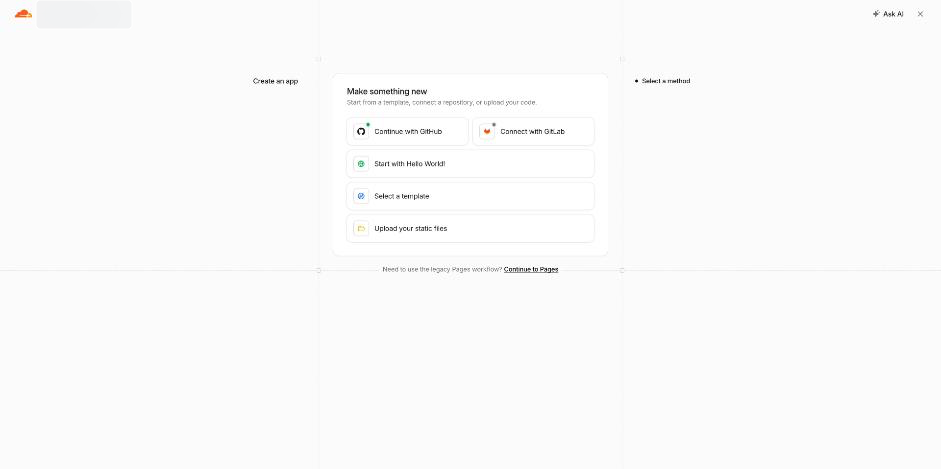
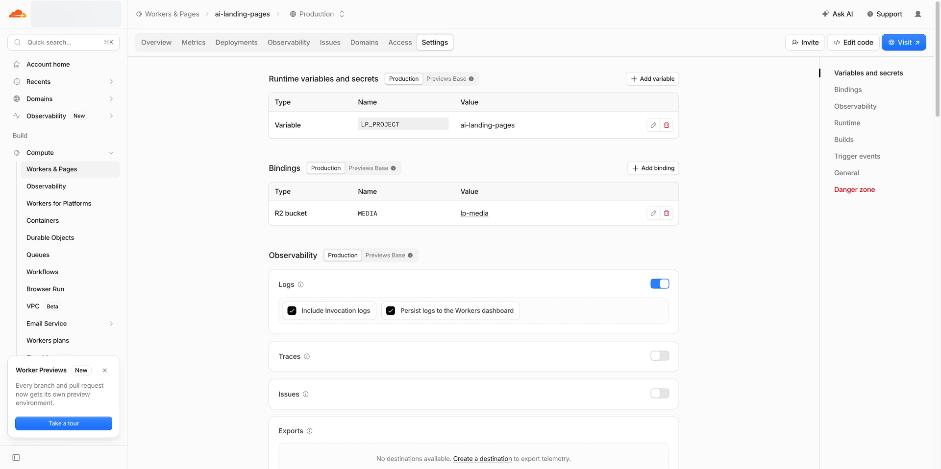
See the Worker list and overview
3. Configure the Worker
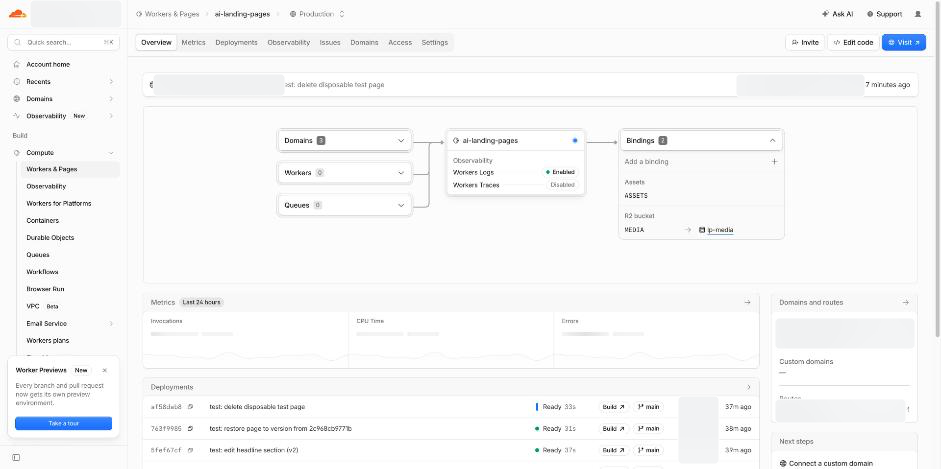
The framework routes each hostname to its site, serves static files through ASSETS, and serves large videos through an R2 binding named MEDIA. It applies redirects and response headers before serving content.
This is an illustrative configuration. Replace the names and domains with your approved resources. Add production routes only after Step 8 is authorized. Select a compatibility date appropriate to your tested Worker.
{
  "name": "ai-landing-pages",
  "main": "src/worker.js",
  "compatibility_date": "2025-10-01",
  "workers_dev": true,
  "preview_urls": true,
  "assets": {
    "directory": "./dist",
    "binding": "ASSETS",
    "run_worker_first": true,
    "html_handling": "none",
    "not_found_handling": "none"
  },
  "r2_buckets": [{ "binding": "MEDIA", "bucket_name": "lp-media" }],
  "observability": { "enabled": true },
  "vars": { "LP_PROJECT": "ai-landing-pages" }
}
The supplied router handles hostname isolation, path-traversal rejection, 301 redirects that retain query strings, video Range requests, content types and security headers. Its /__lp/health endpoint reports the deployed revision. Confirm these behaviors in your own build; a configuration example is not a substitute for testing.
4. Create the provider tokens
Owner action: create the tokens in the providers’ own interfaces and enter them directly into Outloop. Never paste token values into a prompt, source file or screenshot.
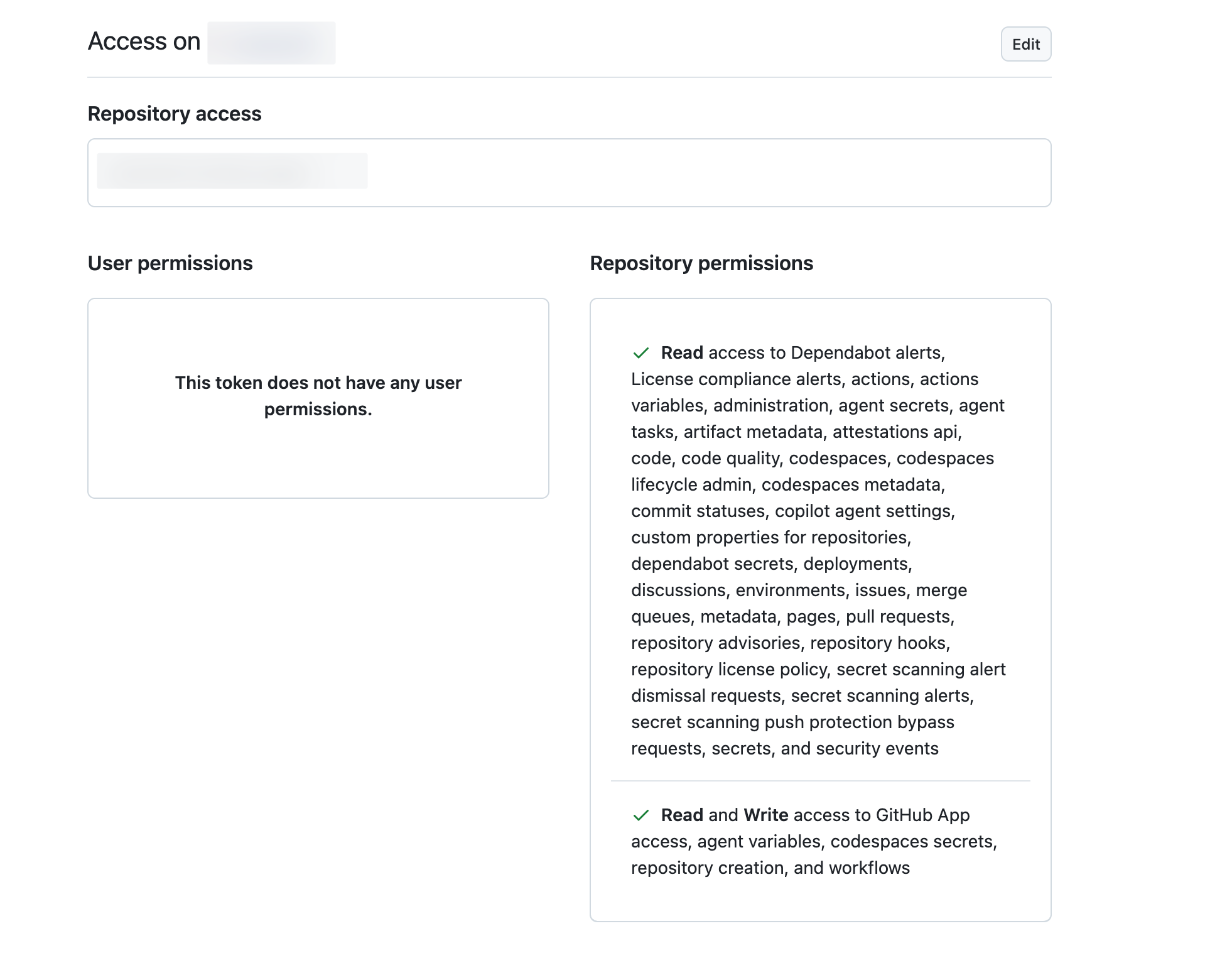
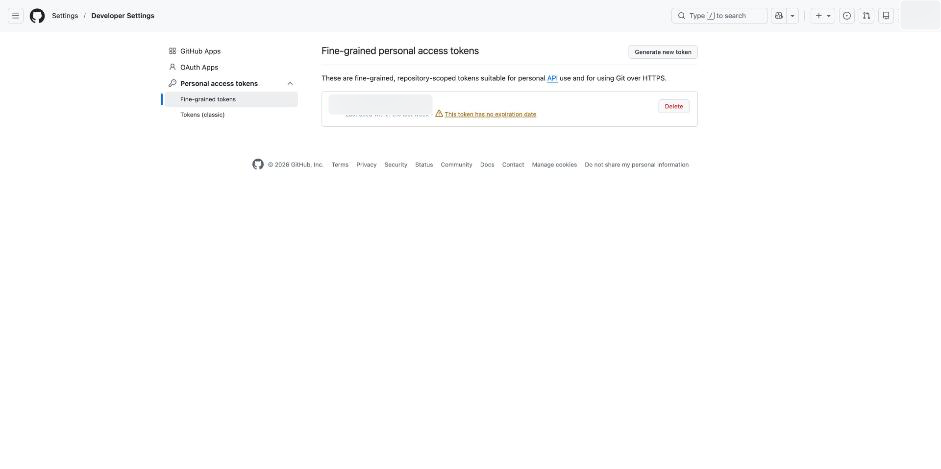
GitHub: one repository
Create a fine-grained personal access token. Select the resource owner and Only select repositories, then the intended repository.
| Repository permission | Access in the reference setup |
|---|---|
| Contents | Read and write |
| Pull requests | Read and write |
| Commit statuses | Read |
| Deployments | Read |
| Metadata | Read (automatic) |
Contents must be read and write for the Git Data API workflow. Organization policies may require approval. Grant only the operations your workflow needs.
Token setup: read the permission warning in this source capture
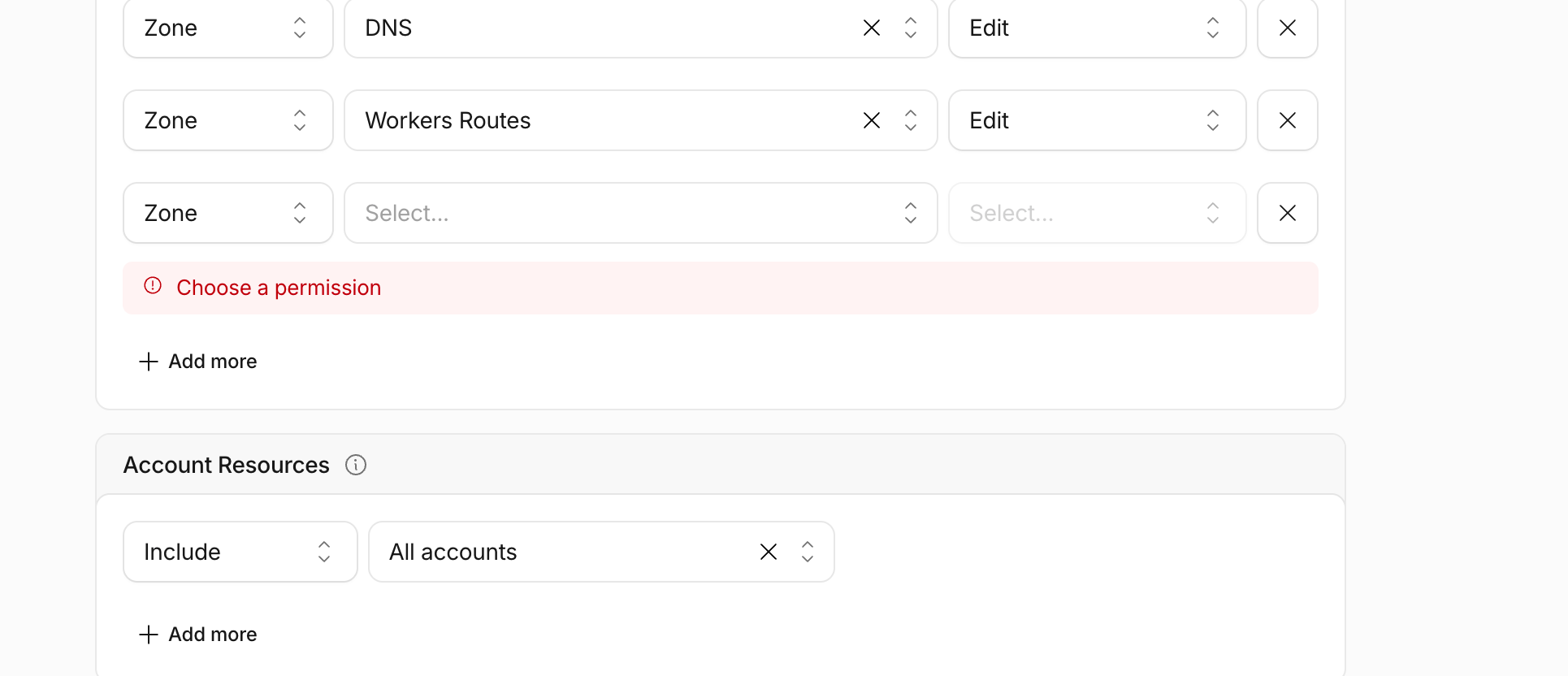
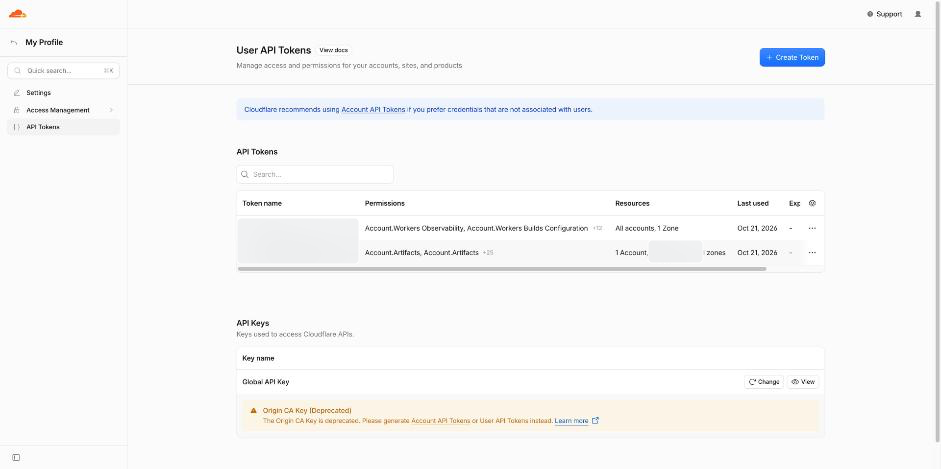
Cloudflare: review the scope before saving
Open My Profile → API Tokens → Create Token → Create Custom Token. The source project used the permissions below. This is its reference permission inventory, not a universal minimum.
| Scope | Permission | Reference access / purpose |
|---|---|---|
| Account | Workers Scripts | Edit — Worker versions and deployments |
| Account | Workers Builds Configuration | Edit — build configuration and triggers |
| Account | Workers R2 Storage | Edit — media bucket and objects |
| Account | Workers Observability | Edit — reference telemetry setup |
| Account | Workers Tail | Read — diagnostics |
| Account | Account Settings | Read — account information |
| Account | Workers KV Storage, D1 | Optional Edit in the source; omit unless actually used |
| Zone | Zone | Read |
| Zone | DNS | Edit only if authorized DNS operations are needed |
| Zone | Workers Routes | Edit — route setup |
| Zone | SSL and Certificates | Edit in the source; assess against the intended work |
| Zone | Zone Settings | Edit in the source; assess against the intended work |
| Zone | Cache Purge | Purge — when required |
Set Account Resources to the intended account and Zone Resources to the specific zone. Remove unused permissions and unused operations from the template. Recheck required permissions against the provider’s current interface; restrict the token as well as the Outloop service.
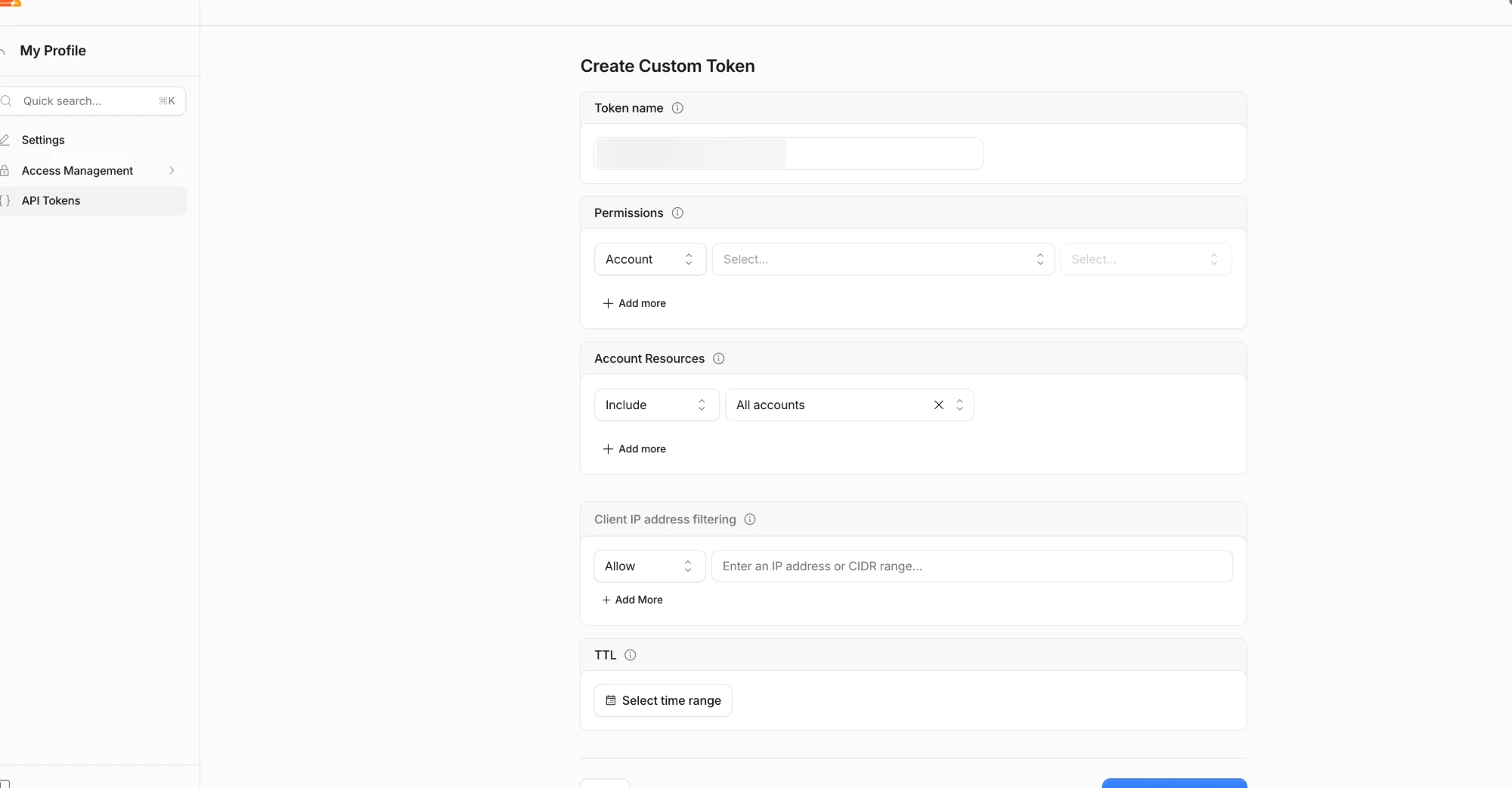
More token setup screens and scope notes
5. Enable R2 for video
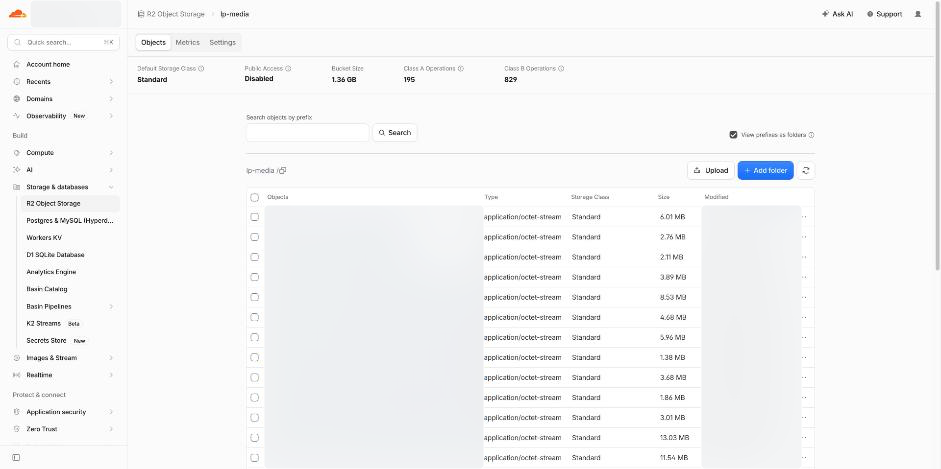
Owner action: enable R2 and approve any billing setup. The agent can then create the approved bucket and upload media through the configured Outloop operations.
The reference site stored 178 videos, totaling approximately 1.36 GB, in R2. The Worker served them at the site’s existing paths with Range support for seeking. Storage, requests and Worker execution have separate limits; a small media library alone does not establish a zero-cost service.
6. Connect the two Custom APIs in Outloop
In the intended Workspace, open API Access → Add key, search for the service, and choose Add a custom service.
| Field | GitHub | Cloudflare |
|---|---|---|
| Service name | GitHub API | Cloudflare API |
| Example service ID | github-api | cloudflare-api |
| Base URL | https://api.github.com | https://api.cloudflare.com |
| Authentication | Bearer token | Bearer token |
| First read path | Leave empty for this setup | Leave empty for this setup |
| Credential | Owner enters the GitHub token | Owner enters the Cloudflare token |
The source walkthrough saves the custom service and its credential in the same form. Then open Edit configuration → Advanced configuration · JSON. Render the template with your own resource identifiers; apply the JSON, validate it, save, and complete Confirm and save. Enable access for the intended Workspace. Enable destructive operations only when the owner has authorized that capability.
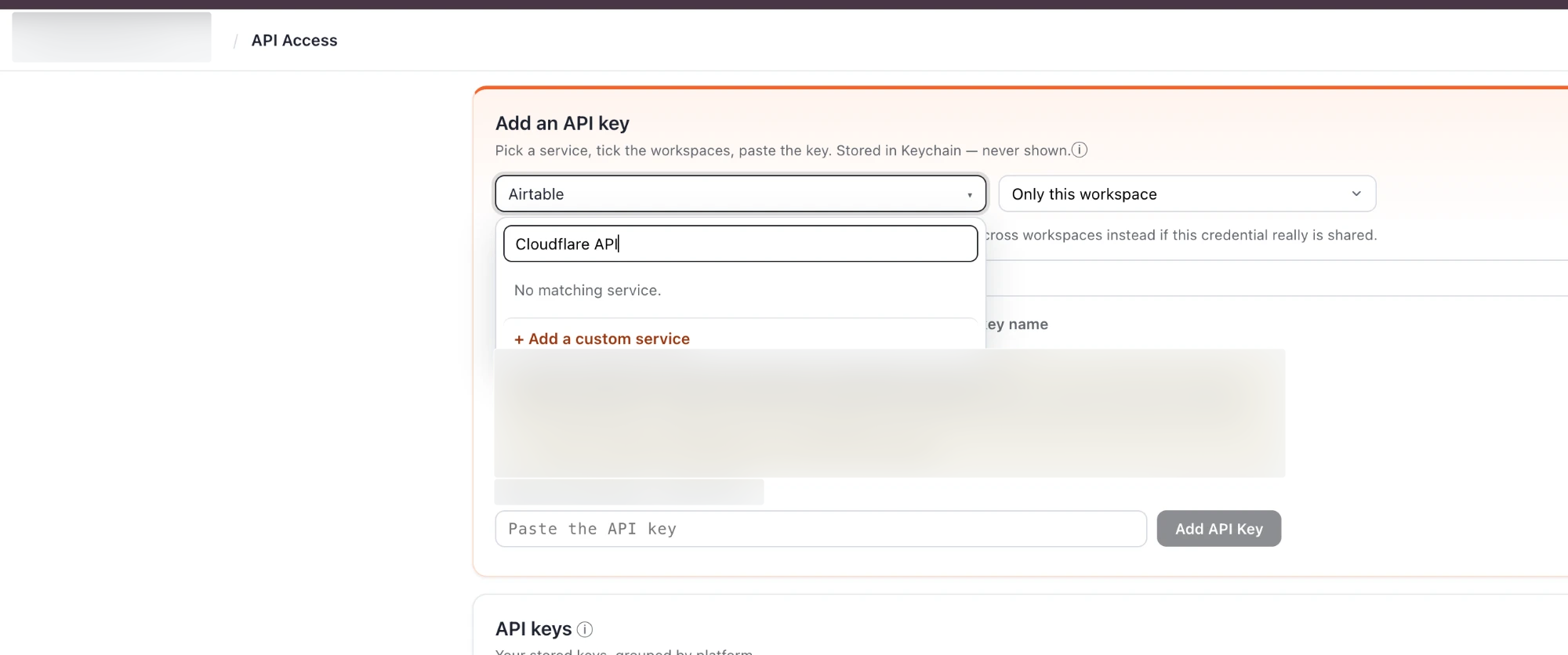
API Access before configuration was complete
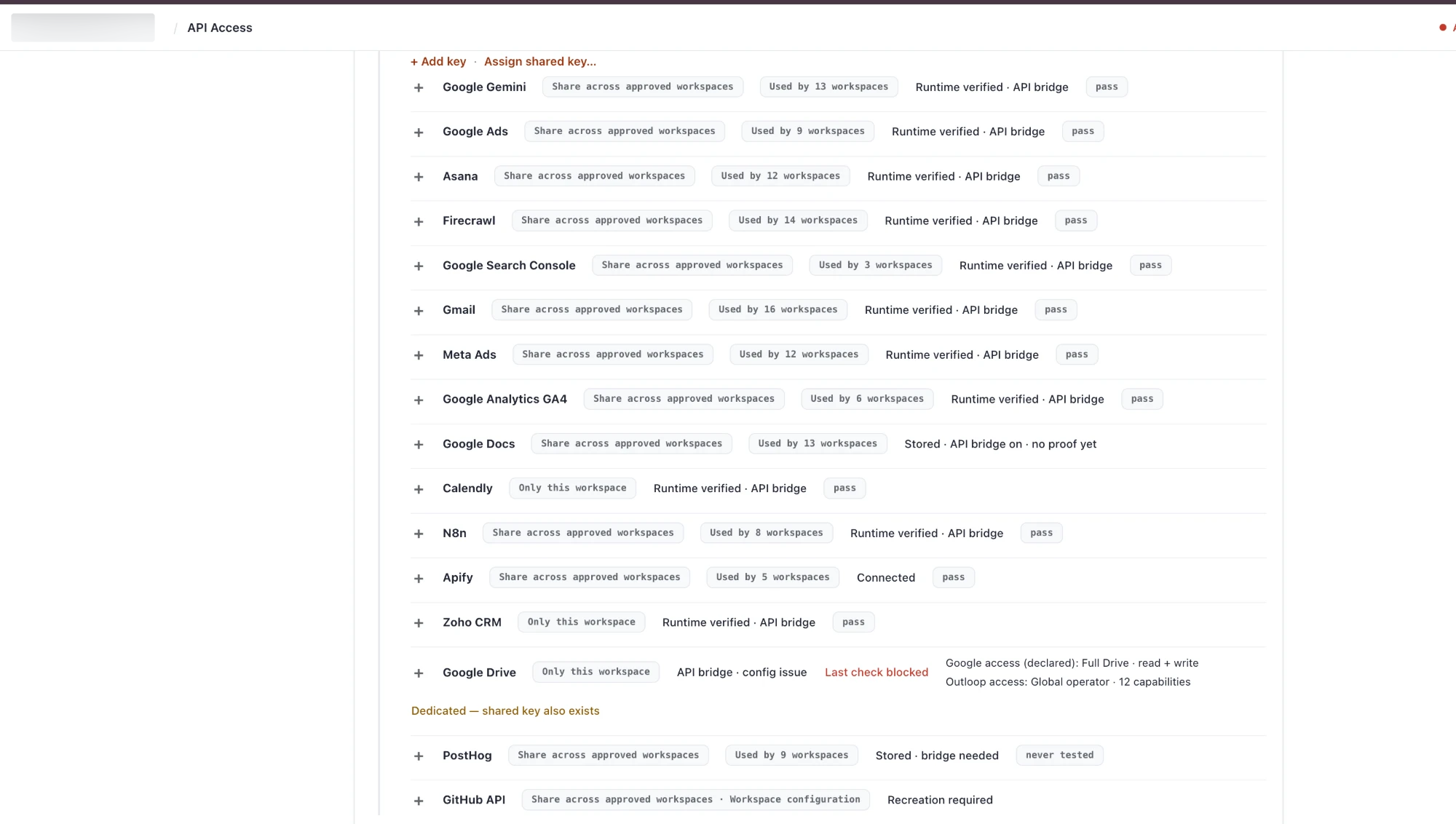
What the templates contain
The supplied GitHub template has 25 operations: 14 read, 9 write and 2 destructive. They cover repository inspection, Git objects, branch references, file changes, pull requests, merges and deployment status.
The Cloudflare template has 31 operations: 16 read, 11 write and 4 destructive. They cover Worker versions and deployments, builds, routes, domains, DNS, cache and R2.
Scope matters: GitHub paths contain the owner and repository placeholders. Cloudflare paths contain account, zone, Worker or bucket placeholders where applicable. Some list/create operations are account-scoped, and some build/domain identifiers remain parameters. Do not describe every operation as restricted to one Worker or bucket without reviewing its path, body and provider permissions. Remove capabilities you do not intend to grant.
Definition rules used by this walkthrough
- Mark required path properties with
"required": true; path parameters cannot introduce/delimiters. - Bind query parameters explicitly, for example
"query": {"per_page": {"parameter": "per_page"}}. - Put JSON payloads in a
bodyobject parameter and set"body_parameter": "body". - Give arrays
itemsand objectsproperties. Use"nullable": truefor nullable fields. - Define file uploads with
"format": "binary"and"body_sources": ["file"]; use the supported upload verb. - Mark DELETE operations
destructive. The classification does not replace authorization for the task.
Validate the rendered definition in your installed Outloop version. Start with bounded reads such as repository details and Worker versions. Test a write only on an authorized disposable fixture. The source project used repo_get and blob_create for GitHub, plus zone_get and versions_list for Cloudflare. A successful read alone does not prove write access.
7. Import and build the site
Download the reusable skill below and inspect its instructions and scripts before use. Its included framework supplies the import and build tooling. Keep client-specific configuration in the client’s own Workspace.
The following example uses a placeholder site ID and a local static export:
python3 scripts/import_zip.py client-export.zip --site example-site --mode static \
  --media-out ../media-staging/example-site --media-ext mp4,mov,webm,m4v
npm run build
npm test
HTML, images, CSS and JavaScript belong in sites/example-site/public/. Video files go to media staging and then to the approved R2 bucket. The reusable push tool creates Git blobs and trees, then a commit and branch update through Outloop. Review the target branch because updating the production branch triggers deployment.
Configure the site’s domains, redirects and media settings in site.json. Decide indexing rules deliberately: an ads-only page may need noindex, while an organic-search page usually has a different requirement. The source site’s indexing choice should not silently become every client’s default.
8. Approve and attach domain routes
Owner approval: confirm the exact production hostnames and the existing origin before changing routes. Add the hostnames to the site configuration, then add the approved routes to wrangler.jsonc:
{
  "routes": [
    { "pattern": "example.com/*", "zone_name": "example.com" },
    { "pattern": "www.example.com/*", "zone_name": "example.com" }
  ]
}
The reference project used existing proxied DNS records, so switching traffic used Worker routes without changing those records. This depends on the existing DNS/proxy setup. Do not change mail records or assume a different domain is already configured the same way.
Before switching, record the current origin, routes and deployment. Removing routes can restore the previous origin only while that origin and its DNS setup remain available. Version rollback and routing rollback solve different problems.
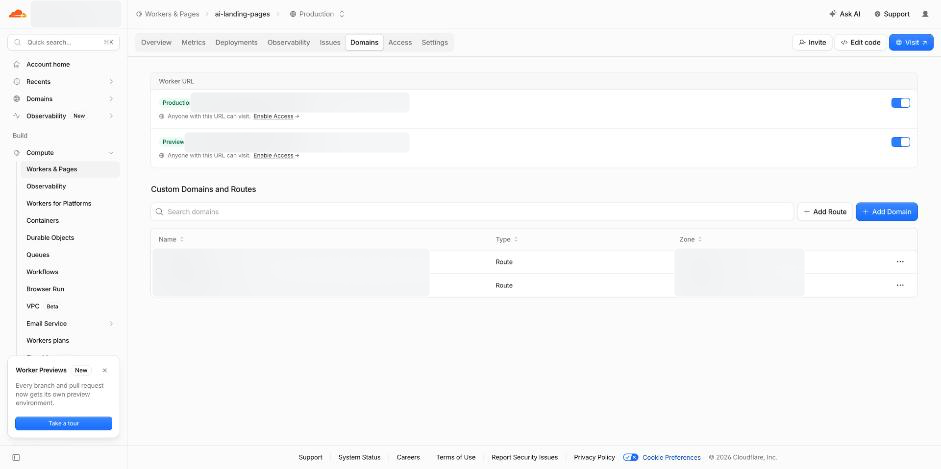
See the DNS screen with private values blurred
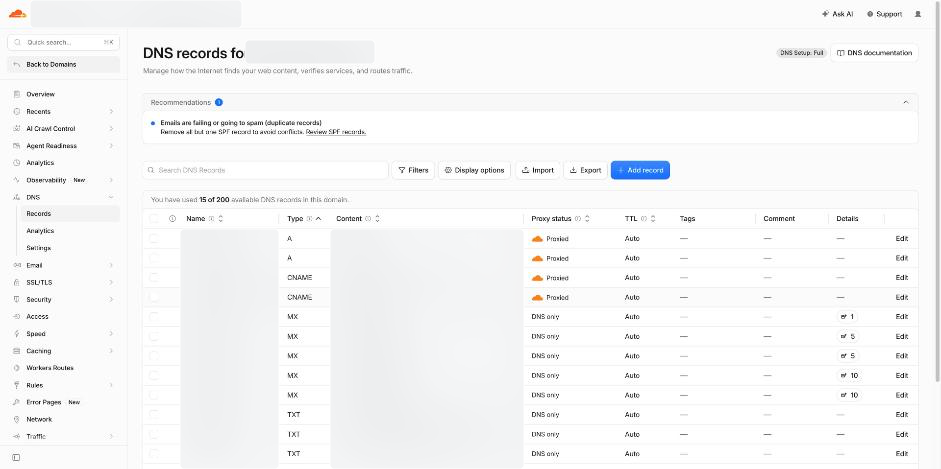
9. Verify the deployed result
Check the build and deployed commit, then the actual public pages. The reusable skill includes the following commands; <skill> means its installed directory, and lp.config.json must point to this Workspace’s approved resources.
python3 <skill>/scripts/wait_deploy.py <commit-sha>
python3 <skill>/scripts/live_check.py https://example.com example-site
python3 <skill>/scripts/selftest.py example-site /approved-test-source/
The self-test creates, publishes, changes and removes a test page. Obtain authorization for those effects and use an approved test location. Validate page status, internal assets, video playback and seeking, redirect destinations and retained query parameters. Check the health endpoint against the commit you intended to deploy.
Record the results and the recovery point. Test forms, analytics, consent behavior and third-party embeds separately when they are in scope; a static-file check does not prove a complete conversion journey.

Beyond the first deploy.
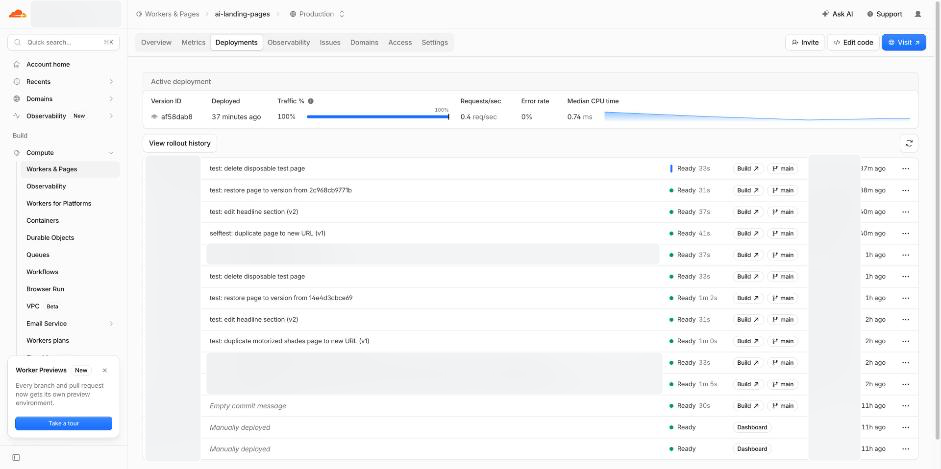
The source team reports two complete lifecycle runs through Outloop. The test checked the original page and repository state after removing its disposable page.
Read
Check the repository and the deployed revision before changing anything.
Create
Duplicate an approved page, adjust its content and repair relative links.
Deploy
Commit through approved access; Workers Builds publishes the authorized branch.
Verify
Check the page, its assets and the actual deployed content.
Edit
Change a section, deploy the next revision and check it live.
Restore
Recover the earlier page from Git history and verify it again.
Rollback
Restore a previous Worker version, check it, then roll forward.
Delete & check
Remove the disposable test page; confirm 404 and original-page integrity.
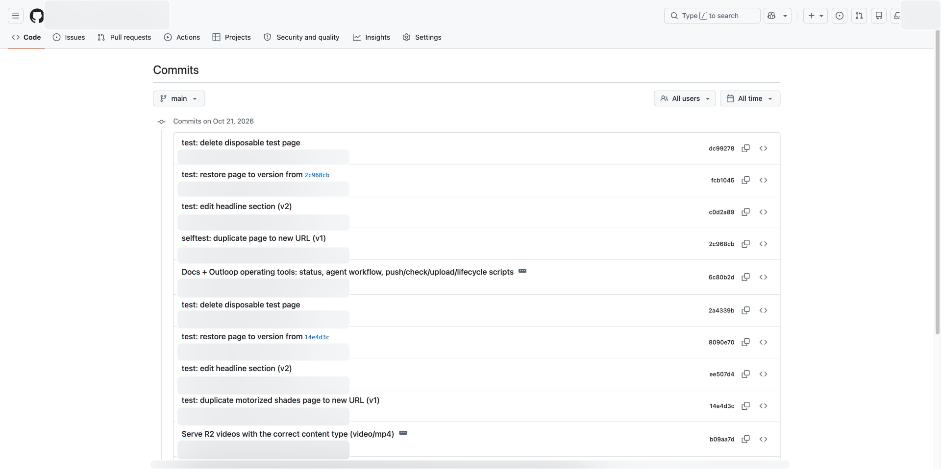
Everyday requests this enables
- Create a page from an approved source and brief.
- Change a section and verify the published revision.
- Add a video with a poster and working playback.
- Restore an earlier page or roll back a retained Worker version.
- Add an approved redirect that preserves campaign parameters.
Take the reusable parts.
Start with the method and templates. Supply your own approved resource identifiers and configuration for each client.
Reference package supplied 21 October 2026. Review scripts before running them. The client-specific skill and private project configuration are excluded. Downloading a template grants no provider access.
When a step gets stuck.
Symptoms and fixes recorded during the reference implementation.
GitHub returns 403 on blob creation
Confirm Contents is Read and write on the selected repository, and check organization approval.
GitHub returns 422: missing content
Check that the operation declares a body object and body_parameter, and pass the required content in that body.
Schema flags must be boolean
Use required: true on each required property in this definition format; do not use a required array.
Path parameter rejects a slash
Use Git trees/blobs for nested paths. The supplied media workflow uses flattened R2 keys.
A large tree update fails
The source workflow resolved a large update using base_tree and chunks of 200 entries. Inspect the provider response before retrying.
Live check returns Cloudflare error 1010
The source checker needed an explicit User-Agent. Investigate the response without broadly disabling security controls.
Video does not play or seek correctly
Check the extension-derived Content-Type and Range responses. Successful object upload alone does not prove playback.
Custom service seems to vanish
In the recorded setup, the service and credential were saved together. Complete the form and check the saved service.
Safe read path rejects an identifier
Leave the optional first-read path empty for this setup, then validate with a configured read operation.
An edited definition did not take effect
Complete Apply JSON, Validate, Save configuration and the final Confirm and save step.
GitHub says the App changed
Reload the installation form, review the repository selection and submit again.
Health endpoint reports “main” rather than a commit
Check the build revision input. The supplied build includes a git rev-parse HEAD fallback; verify the actual output.
Keep control of the work.
- Approve the scope
- Choose the repository, account, zone, Worker and bucket. Inspect account-wide operations and omit capabilities the task does not need.
- Keep credentials out of prompts
- The owner configures access in Outloop. The agent uses the approved operations in that client’s Workspace.
- Separate risky decisions
- Destructive operations require the relevant capability and authorization. Wider access, billing, domain changes and whole-site deletion stay with the owner.
- Plan recovery
- Keep Git history, retained deployment versions and media backups. Verify the fallback origin before relying on route removal.
- Verify what matters
- A successful build is one check. Test live content, redirects and playback, then any forms or third-party behavior your brief depends on.
Ready for the next client?
Keep the method. Reconfigure and verify the destination.
This checklist is for this page visit; it is not saved or sent to Outloop.
Before you hand over the next task.
Can the agent publish without asking every time?
Yes, when the owner has already authorized that class of work and the required capabilities are configured. Agree on the production branch, permitted changes and verification criteria first. Domain changes, wider access, paid services and deleting a whole site remain owner decisions.
Does the agent receive the API tokens?
The workflow uses approved operations through Outloop. The owner enters provider credentials directly in Outloop; the agent does not need the raw token in its prompts, files or scripts. This describes the configured workflow, not a guarantee about unrelated tools.
Is this free hosting?
The source project reported use within provider free tiers. That is not a universal price: Worker execution, builds, R2 storage and operations have limits. Check current provider pricing for your workload. Outloop, model usage, the domain and operating costs are separate.
Can everything be undone?
Git history can restore committed source, and a retained Worker version can restore a deployment. Deleted media, changed external systems and customer submissions need their own recovery plan. Keep backups and verify the rollback target before a production change.
Do the templates automatically isolate every resource?
No. Templates need your own resource identifiers, restricted provider credentials and a reviewed operation set. Some Cloudflare operations are account-scoped. Validate the exact resources and actions in each client Workspace before use.
Can I reuse this for another client?
Reuse the general method, framework and tenant-neutral templates. Configure a separate client Workspace with its own brief, resources, access and approvals, then repeat the verification. Keep the first client’s private configuration and content out of the reusable package.
Put one landing-page workflow to work.
One client Workspace. Approved access. A result you can inspect.
Your provider accounts and model usage are separate. See Outloop plans.