An AI worker rebuilt
a client website for Google Ads.
An AI worker can carry a website brief through to a reviewable result when it has approved access. In this founder-led walkthrough, Adam shows the rebuilt site, reviews a tracking gap and directs the next changes. Outloop supplies the client Workspace and access; the team supplies judgment.
Explore the film 11 chapters
Choose a moment. Jump straight in.
Real session footage. Build and fix times are reported by the founder. The film’s AI scenario estimate is not a measured result.
Read the transcriptVideo playback is unavailable. Open the video directly or read the transcript.
From a brief
to something the team could review.
The agency wanted a website destination it could adapt for paid campaigns. Adam gave the worker an existing site and a plain-language brief: reorganize the content, keep the client’s identity and make the result easy to review.
With approved GitHub and Cloudflare access through Outloop, the worker rebuilt the site. Adam reports a roughly three-to-four-hour rebuild. That timing describes this session’s account of one project, not a delivery guarantee.
Then came a practical question: was the tracking ready? The worker’s report identified a missing lead-conversion step. Adam shows the resulting thank-you page and reports an eleven-minute fix.
Watch the tracking check at 04:08The work is visible.
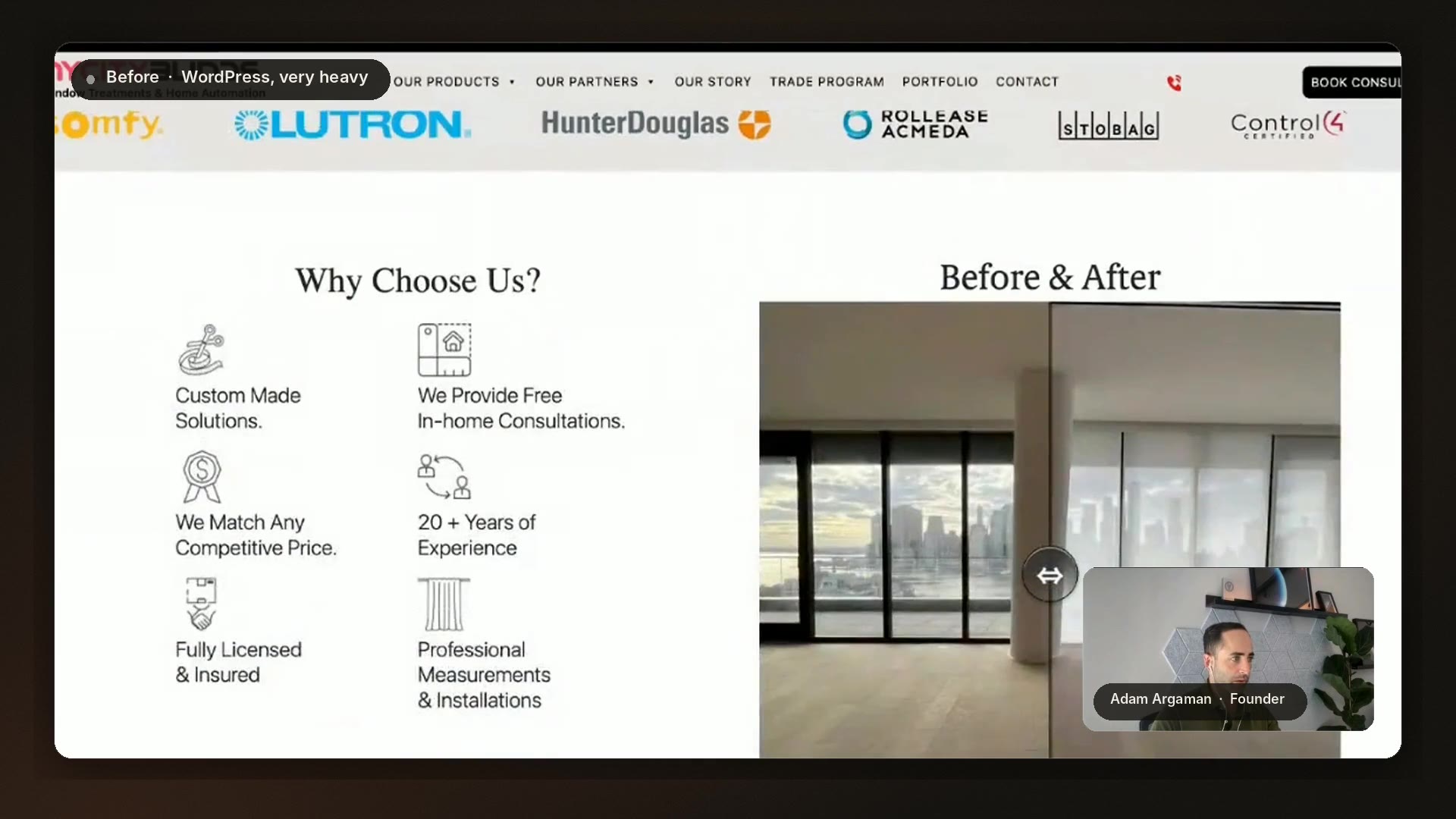
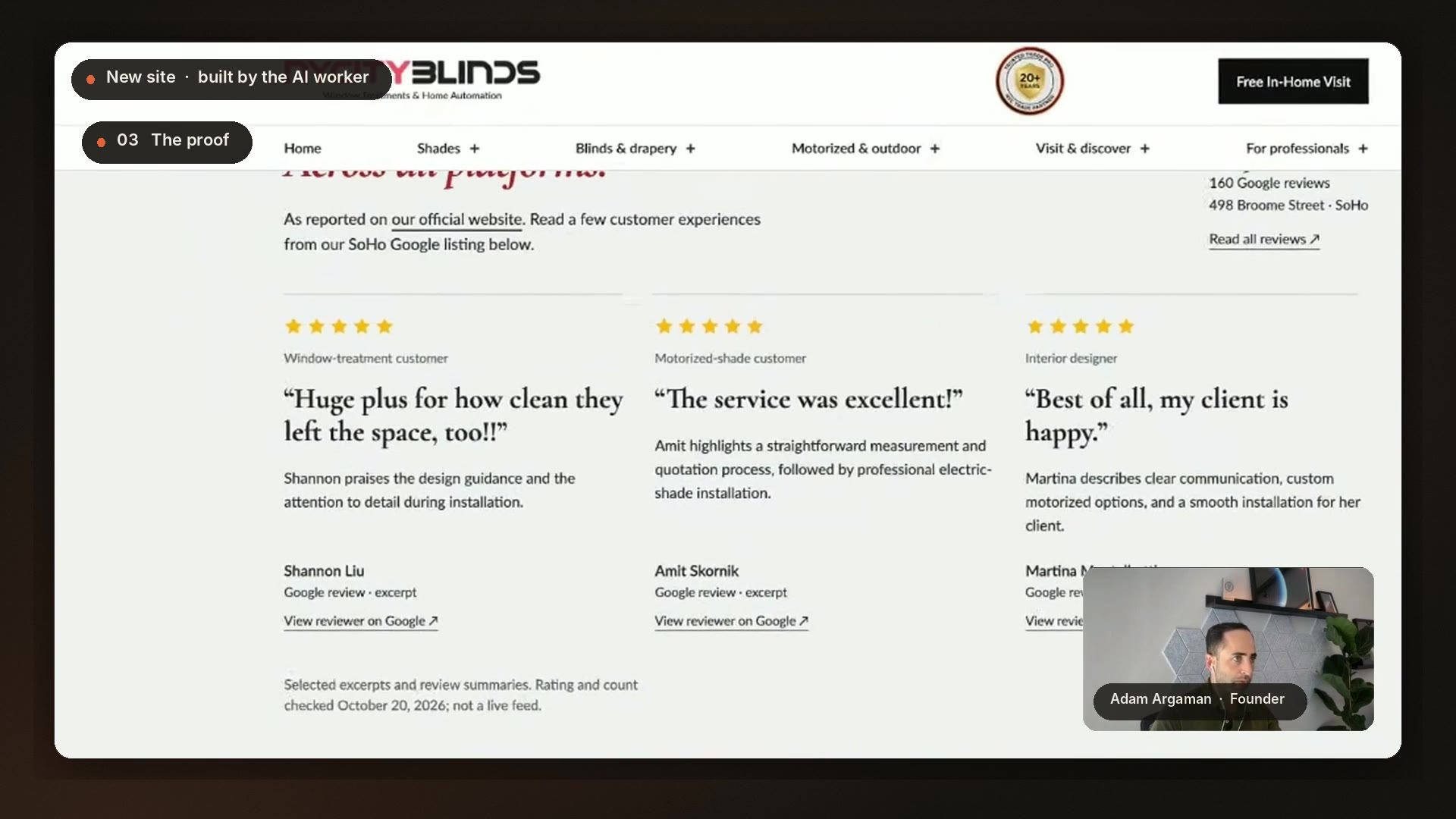
Frames from the same recorded walkthrough. These show the two site designs, not a speed test or a conversion experiment.
What Outloop contributed.
Outloop gives the worker a client-specific operating environment: the relevant Context, approved tools and working methods. The worker uses that access to do the job and returns a result the team can inspect.
- The agency team
- Defines the brief, directs changes and reviews what should ship.
- The AI worker
- Builds, checks, reports and follows the next instruction.
- Outloop
- Organizes the client Workspace and approved access.
- GitHub + Cloudflare
- Hold the source and serve the website through the configured deployment workflow.
What this case establishes.
Shown or reported in the session
- The rebuilt website alongside the original.
- A human-written brief and follow-up directions.
- The worker’s tracking report and the thank-you page.
- A 3–4-hour rebuild and an 11-minute fix, as reported.
Still to be measured or verified
- Advertising uplift, cost per lead and sales impact.
- A repeatable delivery-time benchmark.
- Improved page-speed scores.
- Completed CRM-to-ads processing and recurring runs.
The business-case discussion includes an AI-generated scenario estimate. It is not an observed outcome and does not establish a likely return for another client.
Bring the workflow
to your next client.
Follow the GitHub + Cloudflare setup, configure the client’s approved access and validate the result. Start with a reviewable preview.
Questions about this workflow
Read the full conversation.
Transcript of the supplied film, grouped by chapter. Spoken opinions and estimates remain attributed to the recording; they are not independently verified results.
Open the full English transcript
00:00 · A website rebuilt in 3–4 hours
It means: okay, I give you the current website. I want you to rebuild it. And I did that in a few hours, three, four hours. And I did it in a few hours, and this website you built a few years back in the day.
00:17 · The problem with the existing destination
One of the problems with the Google Ads account is that we're getting in some campaigns very low ad quality scores, so some of our ads are not showing up, and for the ads that are showing up, we're paying more because the page is not optimized. It can be the site speed optimization, because the current website is sitting on WordPress, so you have a lot of components and plugins. But you don't really have a dedicated landing page that you can send the traffic to. And if you send the traffic, everything is loading very slowly, and they need to move between pages and the navigation and all of that.
01:00 · Giving the worker approved access
We want, as part of using an AI worker and Outloop infrastructure, to do things with the help of the AI agent. I was able to create and duplicate the whole website, with photos, with images, with CRO, conversion rate optimization, for the website, with an implementation for CRO, like PostHog. So it's reading the traffic, and you can do the optimization in the right place. So we have here, on the official website of Outloop, under Guide: AI Managed Landing Page. Basically, we're using GitHub to host all the files, with permission to deploy when you push to main. Everything is detailed here. And Cloudflare. Cloudflare is dealing with the DNS and with R2. You go to Outloop, connect the API key, as we know, and that's it. You have all the capabilities. After I gave the agent access to GitHub and Cloudflare, basically I gave him all the abilities to be our developer, to do everything on the page.
02:11 · The rebuilt site and the original
This is the full website. The thing is that everything is extremely optimized for Google Ads. And just for comparison, you will see the existing website. This is the existing website. WordPress. Very heavy. The resolution, you can see the resolution is bad. People cannot read this, like, very wide resolution. Look at the recommendations. Look how we're showing the stores. We show them with images, all the locations, Google Maps, SVG animation. And the most important: the Calendly is everywhere. Every landing page, the Calendly is there.
03:02 · Directing the work in plain language
So I started to create a document, just in natural language. And then, because I want the client to be happy and approve this, move fast. So think like a conversion rate optimization specialist, and think about the right positioning for this section. But try not to remove sections that we've created, just reorganize them and reduce unnecessary content, because we believe it's better to visualize with SVG icons and images. We have a lot of images, and if you don't find the right image, you can generate them with OpenAI Image, or the most recent one, and create something authentic. If you use people, use identical people. If you use the logo, use the identical logo, but you can change the positioning and create the best image per section. Try to keep the content similar to the official website, so the client can approve the copywriting faster.
04:08 · Checking readiness for paid traffic
And I asked him: "Okay, are we ready to support a Google Ads campaign?" Like, we have all the tagging, we have CallRail. CallRail is like a dynamic phone number. Each user from a different traffic source will see a different number. And then we can identify them by UTM and by source. So he tells me: almost, but not yet. I can see green on CallRail, phone number, Tag Manager, remarketing, GA4, Meta Pixel, Bing, Pinterest, Taboola, Outbrain. Almost everything, except the lead conversion. Why? Because we're working with Calendly. For Calendly you need a thank-you page. It has no thank-you page. Fix the phone number in the footer to match the CallRail number, and report to me when we are ready to support traffic from paid ads, especially from Google Ads.
05:08 · A thank-you page and tracking fix
So now Yoni, the AI worker, just sent me a message, after I told him to fix Google Tag Manager and all the recommendations over here. So let's see what he just sent back. I like to see everything green. So basically, we're ready for paid traffic. He verified. Okay, he went to Google Tag Manager. I remind you, we asked him to create a fresh new thank-you page and add the pixel for all the platforms in Google Tag Manager, and he just did it in 11 minutes. This is the thank-you page. Nothing fancy. We can obviously tell him to do this and that. But everything is ready. Wow, Yoni, great work. Thank you so much. For the thank-you page, I think it will be a great strategy to warm up the leads, so they can know more about us, about our story, about the people behind, about our showroom. So figure it out. I trust you. Do the work. Send me back the thank-you page for my review, and just report to me again that we are ready to support paid traffic.
06:16 · Discussing the business case
We pay a lot. We need to optimize and improve the Google Ads strategy. What you need to do: you need to create all of these pages." And the client freaked out. He didn't know where to start, because he's very busy with a million other things. And this is the old way. And then we came with this strategy for the client, so the AI worker will have access to do everything. And then I asked him: "Okay, if we implement all of this strategy, give me your thoughts, your estimation: how much better can we be? What is the percentage that we can potentially improve the Google Ads campaigns?" So he came to me with a very interesting statistic. Yoni, the AI worker, is very conservative, but he gave me some nice statistics here. So he's basically saying between 20 and 90% more conversions on the same budget. So if we go to the middle, around 50%, it's crazy.
07:28 · The next step: measuring sales
So what we want to do here: we also work on the CRM. We connect the CRM deals from Zoho CRM to Google Ads. So now we'll be able to see the actual sales, and not only the leads, which is really great for Google Ads, because you can teach the Google Ads algorithm to track those qualified sales and deals. The problem is that it's new. And now we're going to ask the AI worker to activate a Routine, starting from the beginning of November, to track every week when is the right time to do the shift of the primary conversion, to basically train Google Ads to follow those actual deals and value, instead of just leads. He will never forget. He will remind us, and he will decide what is the best timing.
08:29 · A landing page for each campaign
Also, Yoni, we have one of our best, not one of, our best campaigns: the location campaign. So go directly into Google Ads, understand the location campaigns. We need to have a dedicated landing page to send traffic to those location campaigns. Figure it out, use your design skills, think like a CRO expert, and build a dedicated landing page per location, or per campaign. You will figure out what the best practice is here. What I want you to focus on first: our active campaigns on Google Ads, and make sure we have an absolutely CRO-optimized landing page for each one of our campaigns, and get back to us with the results.
09:16 · Part of the internal team
And yeah, that's it. That's the power of an integrated AI worker. They've been part of our internal team, and you can communicate with them. You can be your developer, your CRO expert, your content writer, your Google Ads and Meta Ads expert, your design studio expert. Everything, in a session of one hour.